SSL Certificate Monitoring: How to Avoid Downtime from Expired Certificates
Expired SSL certificates don't fail loudly, they just fail. This guide breaks down how SSL certificate monitoring actually works, walks through a real incident where a missed renewal cost hours of debugging, and lays out the exact alert setup that stops it from happening to you. If you've ever been caught off guard by a certificate lapsing, this is the fix.
At Statixoup, this is one of the more preventable outages we watch teams deal with. Not because SSL certificate monitoring is hard, technically. It isn't. It's because certificates don't fail loudly ahead of time, and a task with no daily reminder attached to it gets forgotten. Here's the direct answer, then the details: SSL certificate monitoring is an automated check that tracks a certificate's expiration date and sends SSL expiry alerts days or weeks ahead of the deadline, so renewal happens on a schedule instead of during an incident. Set it up once, route the alert somewhere your team actually watches, and expired-certificate downtime mostly stops being a category of incident you deal with at all.
This isn't a comprehensive certificate management guide. I'm not going to walk through certificate authorities, key pairs, or the cryptography behind TLS handshakes. That's a different post. This one's about the specific, narrow, high-stakes problem of certificates expiring without anyone noticing, and how to make sure that stops happening to you.
Why Expired Certificates Still Catch Teams Off Guard
Nobody plans to let a certificate lapse. It happens anyway, and it happens for boring reasons.
The person who set up the certificate two years ago left the company. The renewal was on their calendar, not the team's. Auto-renewal was supposed to handle it, except the DNS record it depended on got changed during an unrelated migration, and nobody tested the renewal after that. Or the cert was issued manually, for a staging environment that quietly became production, and it's just... not on anyone's radar.
None of that shows up as a warning sign until the certificate is already gone. Browsers don't nag you a week out. Your uptime checker, if all it does is confirm the homepage returns a 200, won't catch it either, because a site with an expired certificate often still loads. It just loads behind a full-page security interstitial that most visitors won't click past.
How SSL Certificate Monitoring Actually Works
At the core, SSL certificate monitoring is simple: a service checks the certificate on your domain on a schedule, reads the expiration date out of it, and compares that date against a threshold you set. Cross the threshold and it fires an alert. That's genuinely most of it.
What makes a monitoring setup actually useful is what happens around that basic check.
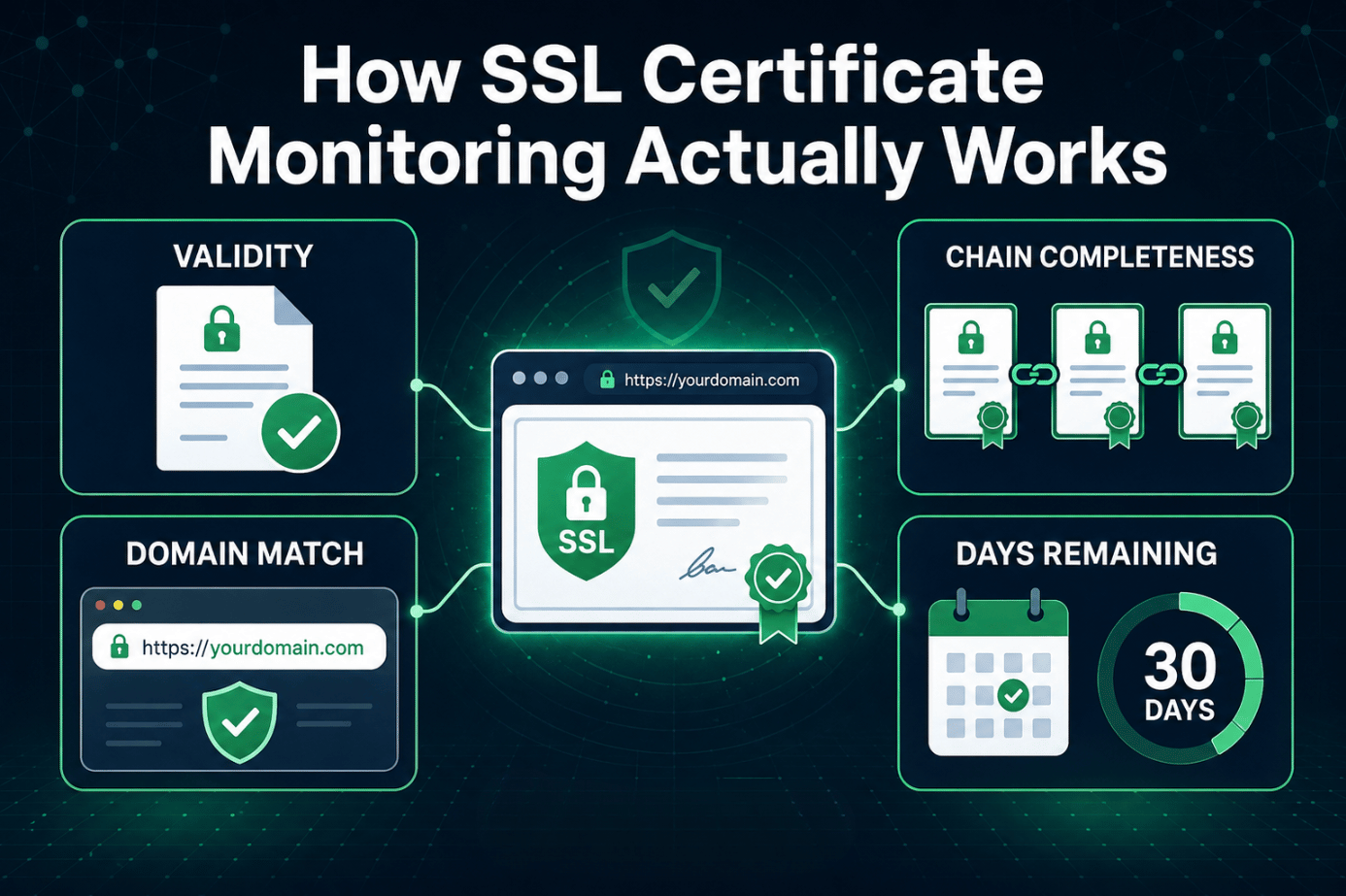
What a Real SSL Certificate Monitoring Setup Checks
A solid SSL monitoring tool isn't only watching the expiration date. It's also confirming:
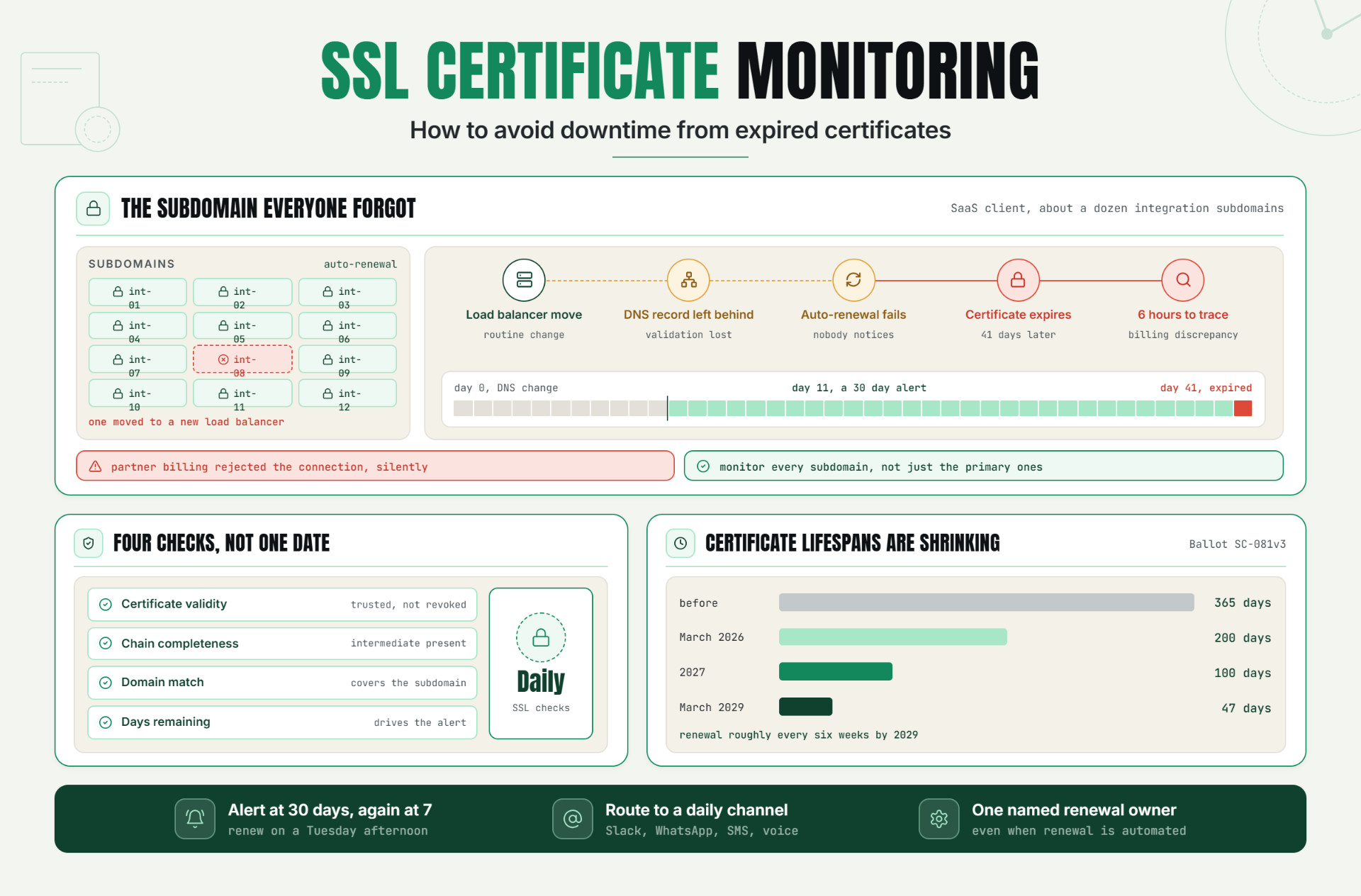
- Certificate validity - is the cert actually trusted by browsers, or has it been revoked
- Chain completeness - is the intermediate certificate present, since a missing chain link breaks trust even with a valid cert
- Domain match - does the certificate actually cover the domain (or subdomain) being served
- Days remaining - the number that drives the alert threshold
Miss any one of those four and you can still end up with a browser warning even though the "expiration date" itself looks fine. This is why a lot of teams that think they've solved SSL certificate expiration by watching a spreadsheet still get surprised. A spreadsheet tracks one field. Real monitoring checks the whole certificate.
Manual Checks vs Automated SSL Monitoring Tools
You can technically track certificate expiration manually. Open a browser, click the padlock, note the date, put a reminder in your calendar. For one domain, that's fine. For a dozen domains and subdomains across staging, production, and a handful of client sites, it falls apart fast, and it falls apart quietly.
An automated SSL monitoring tool checks every domain on a schedule (Statixoup runs daily SSL checks alongside uptime monitoring), so nothing depends on a person remembering to look. That distinction matters more than it used to, and here's why.
Why the Shorter Certificate Lifecycle Makes This Urgent in 2026
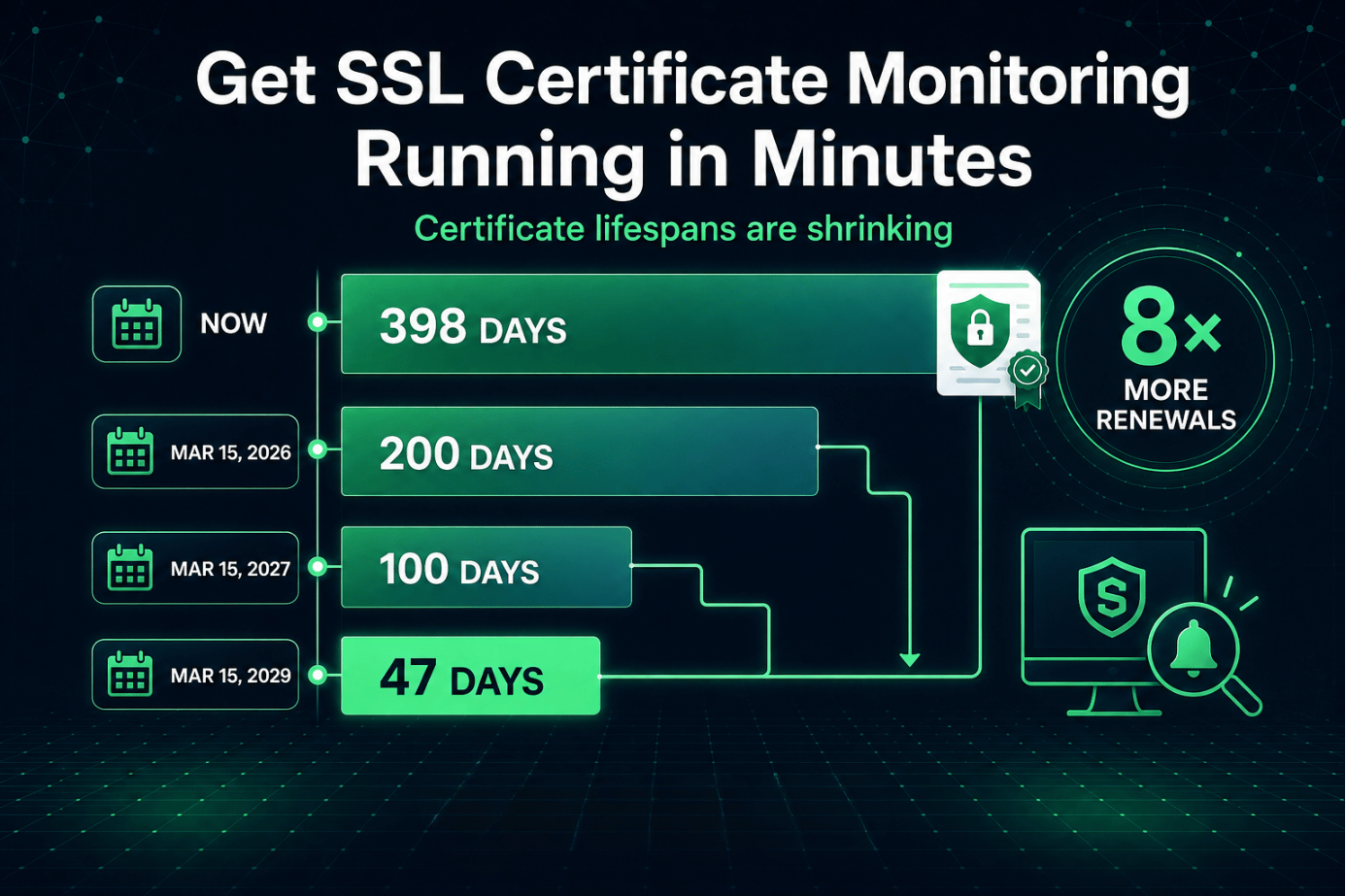
Certificate lifespans are shrinking, on purpose. Under Ballot SC-081v3 from the CA/Browser Forum, maximum validity drops to 200 days as of March 2026, then 100 days in 2027, and 47 days by March 2029. A certificate you used to renew twice a year will need renewing roughly every six weeks by the end of that timeline.
That's not a small operational shift. Manual tracking that barely survives a 365-day renewal cycle has no chance against an eight-times-a-year cadence. Automated monitoring isn't optional anymore for teams that want to stay ahead of it. It's closer to a requirement.
Building an SSL Expiry Alert Workflow That Actually Gets Acted On
Here's the part most guides skip: an alert that nobody sees isn't an alert, it's a log entry. Getting SSL expiry alerts to actually change behavior takes a bit more than turning monitoring on.
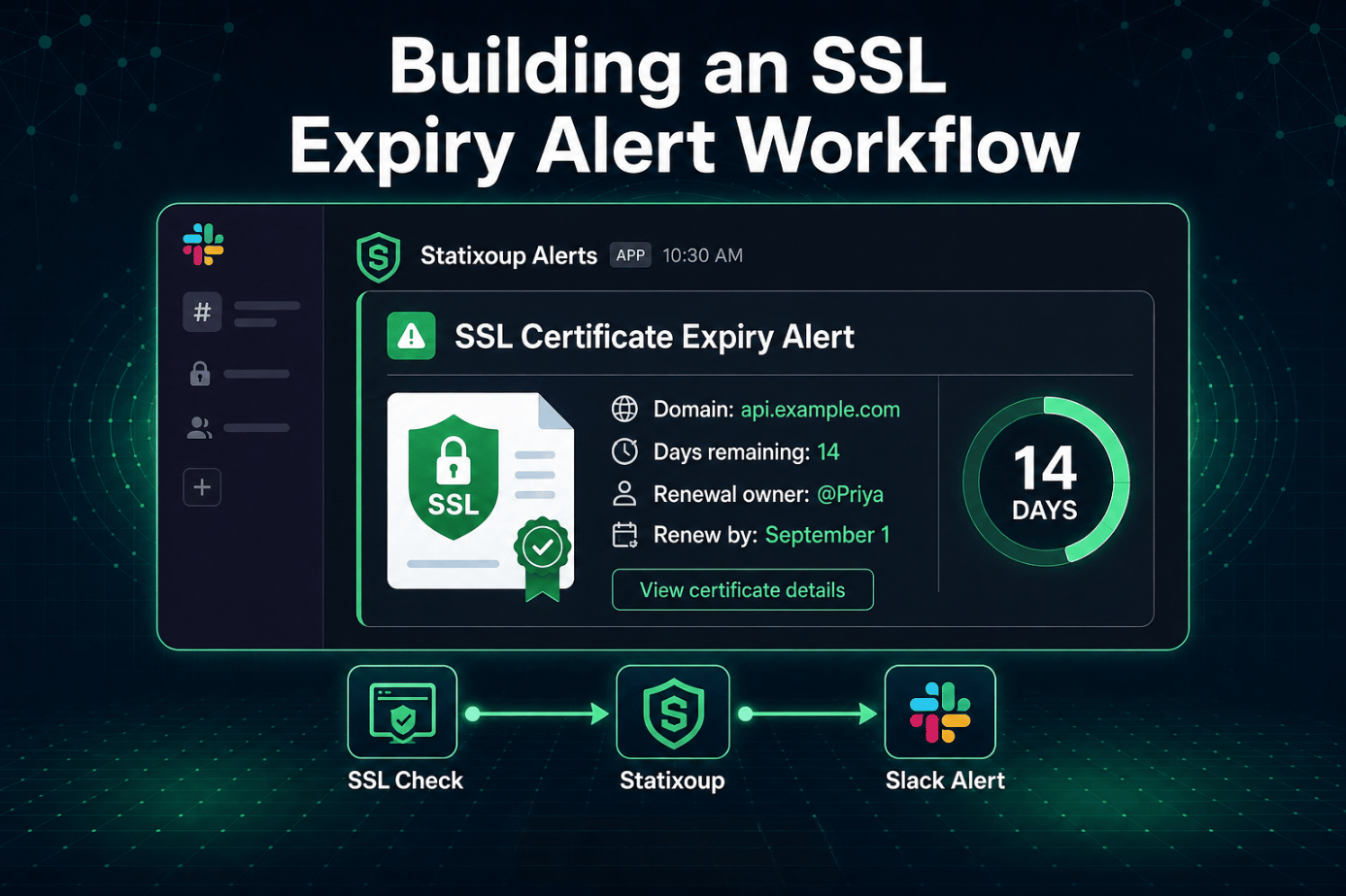
- Add every public-facing domain and subdomain to your monitor, not just the main one.
- Set the alert threshold to 30 days out, with a second reminder at 7 days if it's still unrenewed.
- Route the alert to a channel your team checks daily, not an inbox that gets triaged weekly.
- Assign one person as the owner of certificate renewals, even if the actual renewal is automated. The result is a renewal that happens on a Tuesday afternoon instead of during a Saturday-morning incident.
Where to Route the Alert So Someone Actually Sees It
A 30-day warning sitting in an email folder that gets checked once a week is barely better than no warning at all. Statixoup routes SSL expiry alerts through Slack, Discord, WhatsApp, SMS, or a voice call, because the whole point of an early warning is that someone with the ability to act on it sees it while there's still time to act.
What Actually Happened When a Client Skipped This
In 2023, we worked with a mid-sized SaaS client running about a dozen subdomains, one per major customer integration. Their certificates were all on auto-renewal through their hosting provider, and for eighteen months that worked fine, so nobody double-checked it.
Then one integration subdomain got moved to a new load balancer during a routine infrastructure change. The DNS validation record the auto-renewal depended on didn't move with it. Nobody noticed, because nothing about the migration looked broken at the time.
Forty-one days later, that certificate expired. The subdomain fed data into a partner's billing system, and the partner's system started rejecting the connection the moment the cert lapsed, silently, with no user-facing error on either side. It took the client's team about six hours to trace a billing discrepancy back to an expired certificate on a subdomain most of them had forgotten existed. Once monitoring was added across every subdomain, not just the primary ones, that specific failure mode stopped being possible. The fix wasn't complicated. Knowing about the problem 30 days early would have been enough.
Best Practices for SSL Certificate Monitoring
A few habits separate teams that never think about this again from teams that keep getting surprised:
- Monitor every domain and subdomain individually, because a certificate covering the root domain doesn't automatically protect every subdomain, and gaps hide there.
- Set the first alert at 30 days, not 7, since a 7-day warning assumes the renewal owner is available that exact week, which isn't always true.
- Test auto-renewal after any infrastructure change, because DNS or load balancer changes are the single most common reason "automated" renewal quietly stops working.
- Keep one named owner for certificate renewals, even on teams that rely on automation, so an alert always has somewhere specific to land.
- Review your SSL certificate monitoring coverage quarterly, since new subdomains and services get spun up constantly and monitoring doesn't automatically follow them.
Common Mistakes Teams Make With SSL Expiry Alerts
Only monitoring the primary domain:
The main site is covered, the staging subdomain that quietly went to production last quarter isn't. Add every domain you actually serve traffic on, not just the obvious one.
Trusting auto-renewal without verifying it:
Auto-renewal depends on DNS validation staying intact. Change the DNS setup, move hosting, or switch a load balancer, and renewal can silently break while everyone assumes it's still working.
Setting the alert threshold too close to the deadline:
A five-day warning isn't much use if the person who handles it is on leave that week. Thirty days gives a real buffer for renewal to get handled without pressure.
Sending alerts to an inbox nobody checks daily:
An SSL expiry alert that lands in a shared inbox with a two-week backlog might as well not exist. Route it somewhere with same-day visibility.
Assuming a loading site means the certificate is fine:
A basic uptime check confirms the page responds. It says nothing about whether that response comes with a browser security warning attached.
Conclusion
Expired certificates aren't a hard technical problem. They're an attention problem, and attention is exactly the thing that automated monitoring is built to replace. Set the threshold once, route the alert somewhere real, and this stops being something you have to think about until the next renewal notice shows up on schedule instead of during an incident.
Get SSL Certificate Monitoring Running in Minutes
According to Venafi's global CIO study, 60% of organizations experienced a certificate-related outage that impacted critical business applications within a single year, and with the CA/Browser Forum's shift to shorter certificate lifespans now underway, that number isn't likely to shrink on its own.
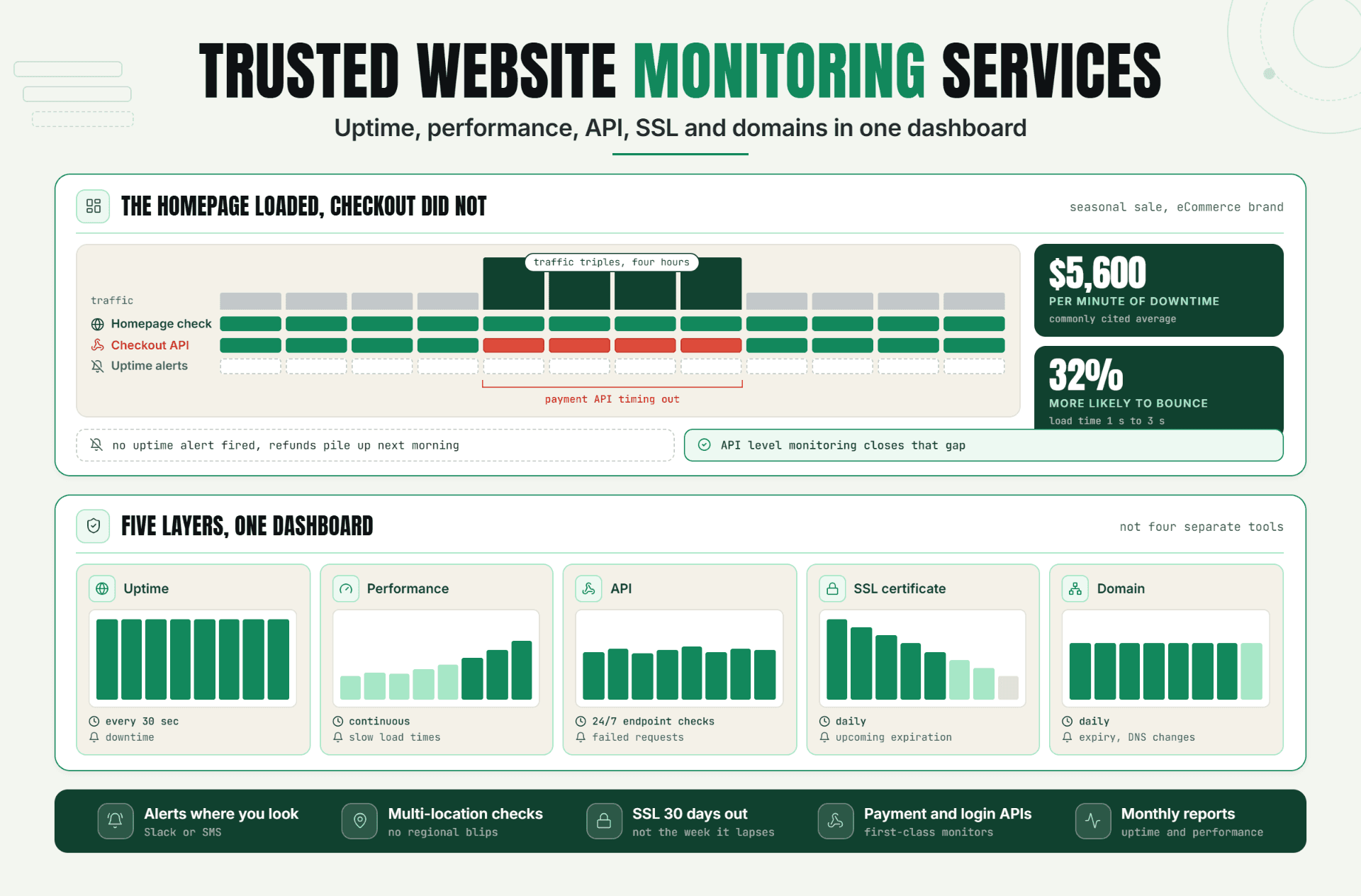
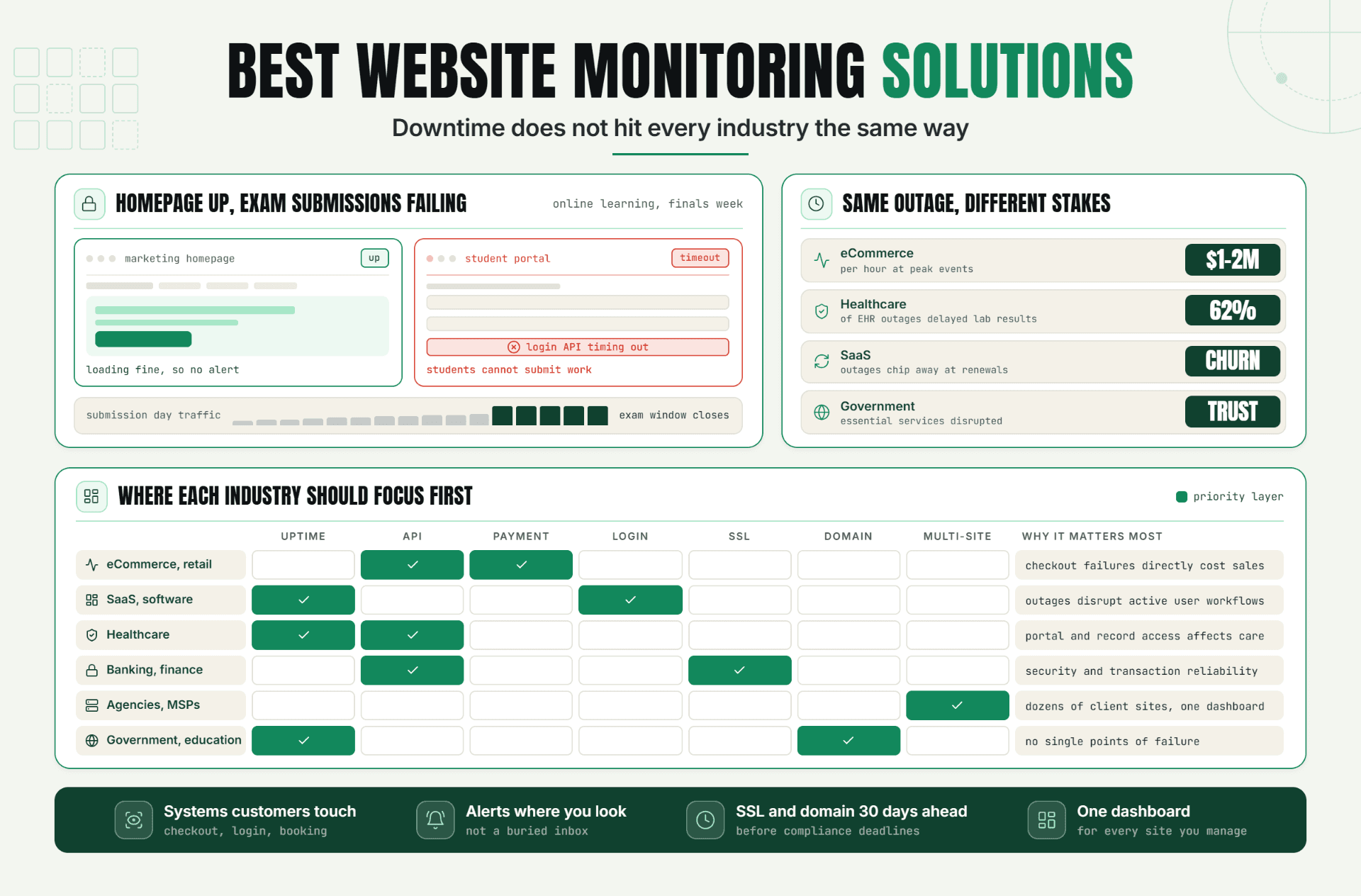
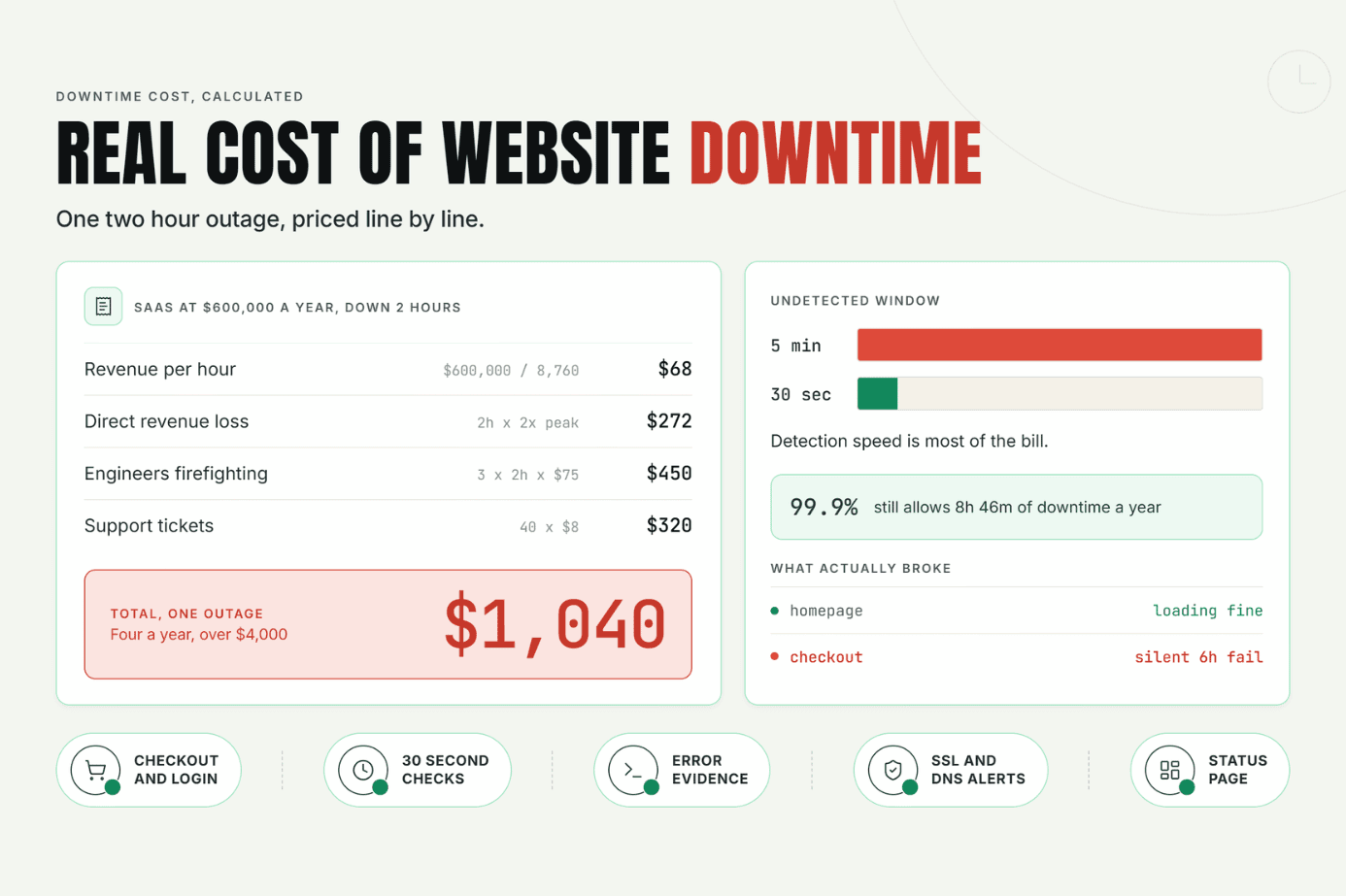
Statixoup checks SSL certificate status alongside uptime, performance, API, and domain monitoring, all from one dashboard, so a certificate never gets left off the list by accident. We covered how the rest of that stack fits together in our guide to trusted website monitoring services, and if you want the numbers on what an outage like this actually costs, that's in our breakdown of the real cost of website downtime. You can also see how monitoring needs differ by industry in our guide to choosing the right website monitoring solution.
Start monitoring free for 30 days, check the setup guide in our documentation if you want to see how the SSL checks are configured, or reach out to the team if you're not sure which plan covers the number of domains you're running.
Start monitoring free for 30 daysPost a Comment

Hardik Vaghani
Hardik Vaghani is a Digital Marketing Professional and SEO Strategist based in Surat, Gujarat, India. He currently works with Ethnic Infotech, contributing to SEO, content marketing, technical SEO, and digital growth strategies. Hardik also creates blog content for Fusion5, focusing on technology, laptops, and consumer electronics. With expertise in SEO, Google Ads, Meta Ads, Local SEO, and Content Strategy, he helps businesses improve online visibility, rankings, and lead generation through data-driven marketing.
Frequently Asked Questions
Related Blogs