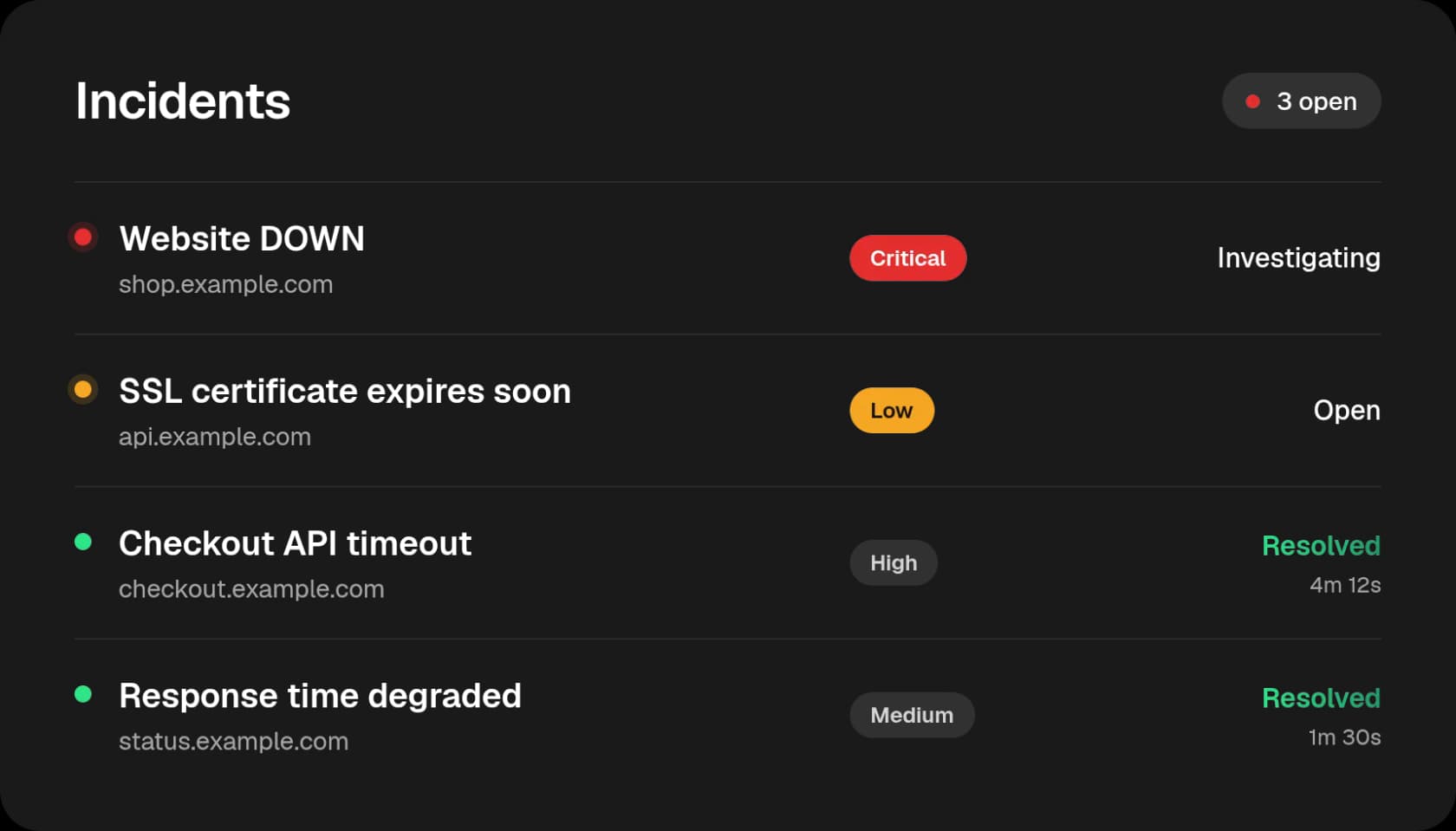
Incident management

From First Alert to Resolved, in One Place.

From the first alert to the final fix, Statixoup opens an incident the moment your website goes down, alerts the right people and keeps your status page updated. Assign owners, track progress and discuss the fix together until it is resolved.

7-day free trialNo credit card needed
Statixoup incident management dashboard listing open and resolved incidents with severity, status and assignees

Less chaos when something breaks.

Detection, ownership and team discussion live in one incident, instead of scattered across inboxes and chat threads.

shop.acme.ioDOWN · Connection timed out
10:42Monitor failed 3 checks in a row
10:42Incident opened · Critical
10:42Team alerted, status page updated
Incidents open automatically

When a monitor goes down or an SSL certificate fails, Statixoup opens an incident with the error, so nothing depends on someone noticing.

Assign to
AR
Aarav R.Backend
MS
Maya S.DevOps
JK
Jon K.Support
Assign the right owners

Assign one or more team members to an incident. They are notified by email, Slack and Discord straight away.

MS
Maya S. · 10:51Database pool is exhausted. @Aarav can you restart the workers?
AR
Aarav R. · 10:54Done, response times are back to normal.
Mention a teammate…
Discuss the fix in context

Comment on the incident and @mention teammates. Every comment, status change and assignment is saved to the incident timeline.

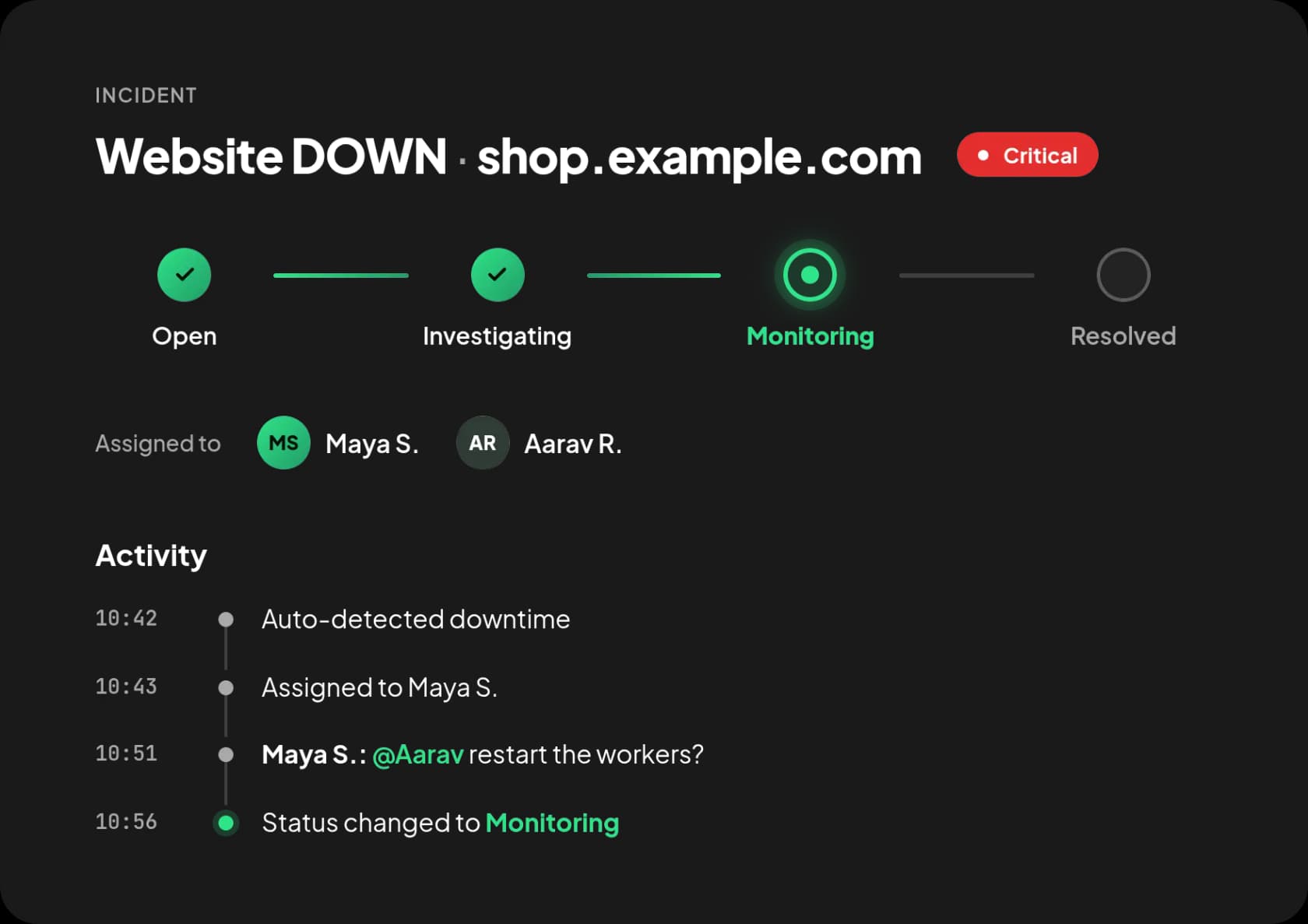
A clear status for every stage of the fix.

Everyone can see where an incident stands, and assigned members are notified each time the status changes.

01
Open

The incident is created automatically on downtime, or manually by your team for any monitor.

02
Investigating & Identified

Move the incident forward as your team looks into the problem and finds the cause.

03
Monitoring

A fix is in place and you are watching to make sure it holds.

04
Resolved & Closed

When the monitor recovers, the incident closes automatically with the total downtime recorded.

Statixoup incident detail with status progress, assigned team members and activity timeline

Keep customers informed and learn from every outage.

Incidents connect to your status page and keep a record you can come back to.

Status page updates itself

When an incident opens, your public status page shows it. When it is resolved, the status page is updated too, so customers stay informed without extra work.

Full incident history

Every incident keeps its timeline, severity, owners and downtime duration, so you can review what happened and how long it took to fix.

Find any incident fast

Search and filter incidents by monitor, severity, status, assignee, trigger and date range to focus on what matters right now.

Choose your preferred type of notifications.

Send alerts to the channels your team already uses. Pick different channels per monitor, per teammate, or per severity.

Incident management FAQs.

Incident management is how Statixoup tracks a problem with one of your websites from the moment it is detected until it is fixed. Each incident has a severity, a status, assigned owners, comments and a full activity timeline.

Get uptime insights delivered to your inbox

Join thousands of developers and founders who receive monitoring tips, product updates, and reliability best practices - no spam, ever.