Outage Customer Support: Reduce Duplicate Support Tickets
Learn how effective outage customer support uses verified monitoring data to reduce duplicate tickets and keep customer communication consistent. This guide covers practical workflows, status updates, alert routing, and recovery confirmation.
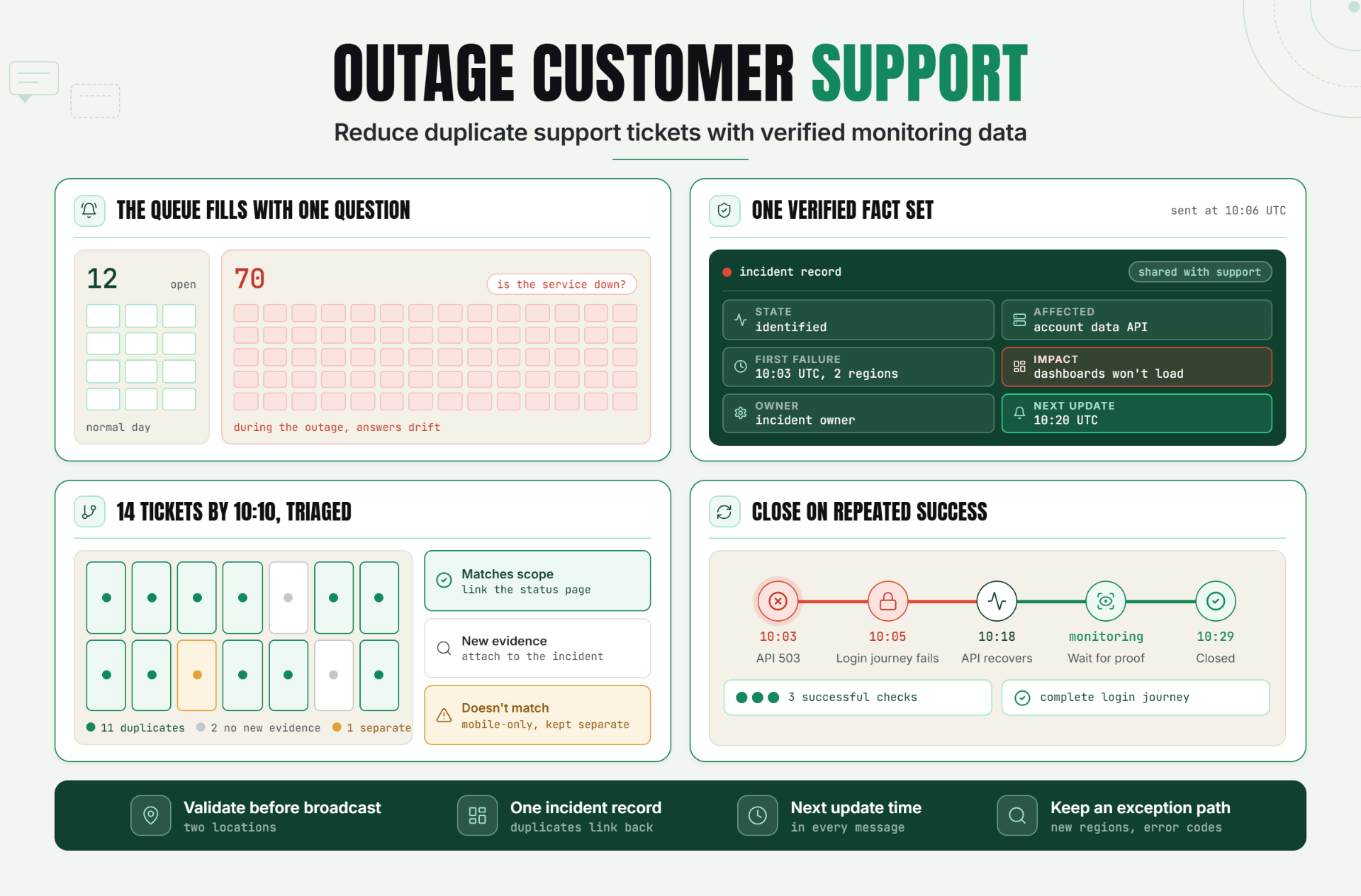
Outage customer support is the practice of giving support agents the same verified incident facts as the technical response team. When agents can see the affected service, first failure time, locations, current state, and next update time, they can answer consistently, reduce duplicate outage tickets, and keep engineers focused on recovery.
This isn’t about turning support agents into incident investigators. They shouldn’t be digging through raw logs while customers wait. Their job in outage customer support is to translate verified monitoring data into clear, useful communication, then route anything that doesn’t match the known incident.
The Real Support Problem During an Outage
The first ticket rarely causes trouble. The twentieth ticket does. Agents copy different details from Slack, customers receive conflicting explanations, and engineers get interrupted for outage support updates that already exist somewhere else.
Meanwhile, unusual reports get buried inside the pile. A customer in Singapore may still be failing after the main service recovers, but their ticket looks like another duplicate. Without a shared incident support workflow, the team can’t separate repeated confirmation from new diagnostic evidence.
How Outage Customer Support Works
Strong outage customer support runs on one simple rule: monitoring data is the factual layer, and support messaging is the customer layer. One shouldn’t replace the other. That separation keeps the outage support process fast without making it careless.
Build a shared incident fact set
Every agent needs a small, stable outage support fact set they can trust:
- Incident state: investigating, identified, monitoring, or resolved
- Affected services, regions, plans, or customer journeys
- First confirmed failure time and most recent check result
- Known customer impact in plain language
- Current workaround, if one has been verified
- Owner and next scheduled update time
This is deliberately smaller than an engineering timeline. Raw alerts, stack traces, and unconfirmed theories create more risk than value in customer replies. Outage customer support needs verified facts, not every fact.
PagerDuty’s survey of 1,000 IT and business executives found that 39% of organizations affected by the July 2024 global outage experienced delayed responses to customer or internal requests. It also found that 38% experienced communication breakdowns between departments. Those numbers make the operational point clearly: response speed and internal alignment fail together when teams don’t share real-time context (PagerDuty outage preparedness survey).
We covered the technical handoff in Statixoup’s guide to the website incident response process. The support version should use the same incident states and timestamps, but translate them into customer impact.
Give support team alerts enough context
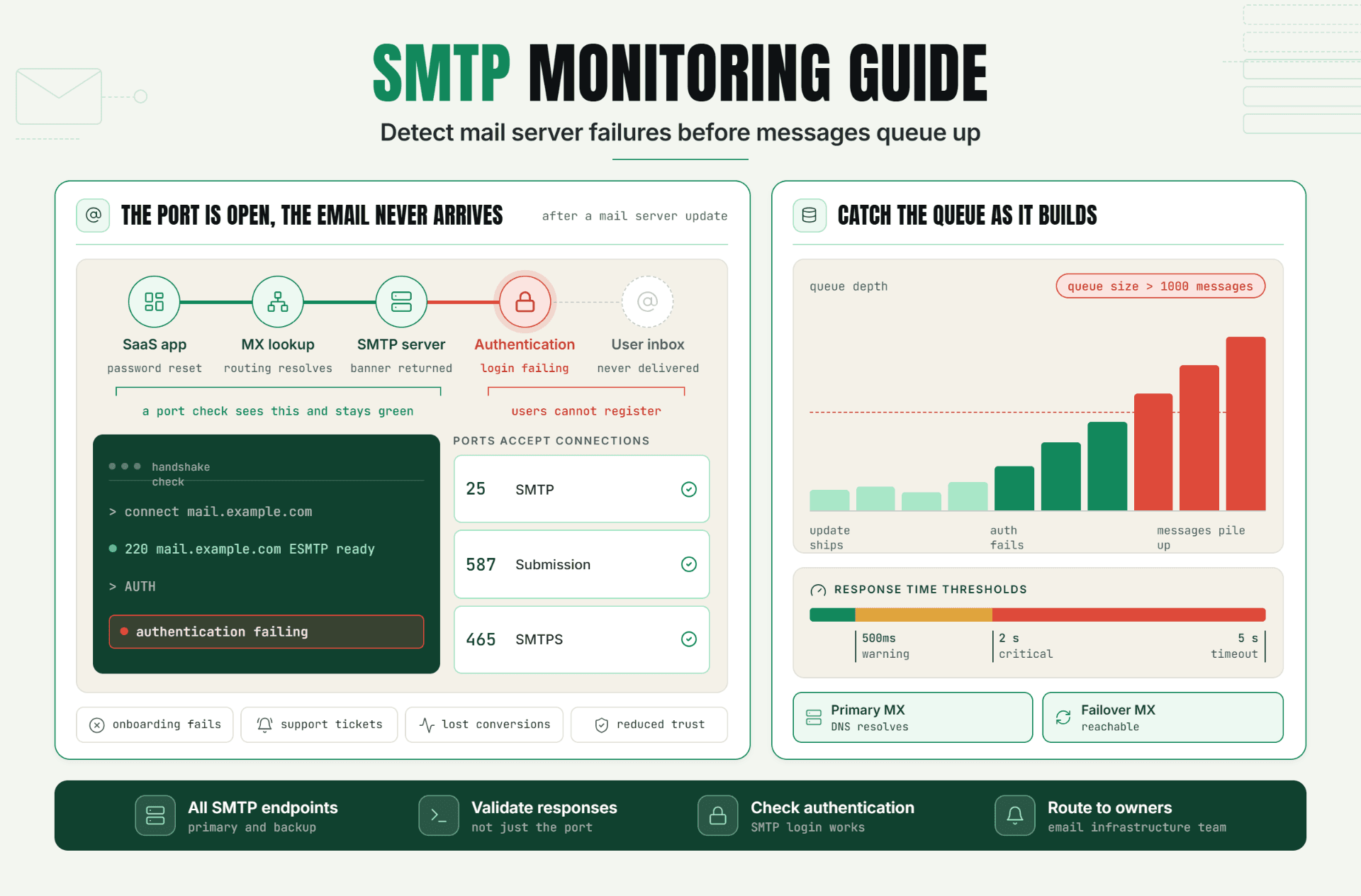
A useful alert says more than “monitor down.” It identifies the monitor, affected endpoint, failure type, location, start time, confirmation state, and a link to the incident record or dashboard.
For example, an HTTP 500 on the public homepage doesn’t prove that login is broken. A failed browser check on the login journey does. That distinction stops the outage support team from overstating impact.
What support should see after validation
Support team alerts should arrive after the response process has enough evidence to declare a customer-facing incident. If every retry or regional probe posts directly into the support channel, agents will learn to ignore it.
Use validation before broadcast. Require two failed checks, a second location, or a deeper transaction failure when the service can tolerate that delay. For high-risk payment or authentication paths, route the first confirmed failure quickly and label the outage customer support scope as preliminary.
This is where a clear incident alert routing model helps. Engineering receives diagnostic detail. Support receives customer impact and the next action. Leadership receives business exposure. Same incident, different useful views.
Set thresholds around customer impact
Thresholds should reflect what a customer experiences, not what is easiest to measure. A 900 ms API response may be normal for one report and unacceptable for login. A 200 response can still serve an error message or an empty page.
Use a layered setup:
- Run an uptime check for basic reachability.
- Validate important API responses and expected content.
- Test one or two customer-critical journeys with a browser monitor.
- Confirm failures from another location or with a retry rule.
- Create or update the incident record.
- Send the verified impact summary to support and publish service status communication.
The result is an outage response that begins with evidence rather than ticket volume. It also gives outage support a defensible reason for every public statement.
Don’t monitor every possible click. That becomes expensive and noisy. Start with login, checkout or billing, and the workflow customers use to receive the core value of the product.
Keep service status communication synchronized
Customers open duplicate outage tickets when they can’t find a credible answer. A status page gives them a self-service source, but only if it is current, specific, and easy to reach.
Atlassian describes its Statuspage product as a way to halt duplicate support requests through proactive communication across email, text, in-app messages, and other channels. The important word is proactive. Posting after the queue fills is documentation, not prevention (Atlassian Statuspage incident communication).
Your public update and saved outage support reply should come from the same fact set. They don’t need identical wording. The status page can be brief, while a ticket reply can acknowledge the customer’s exact symptom. But the affected component, timeline, and next update time must match.
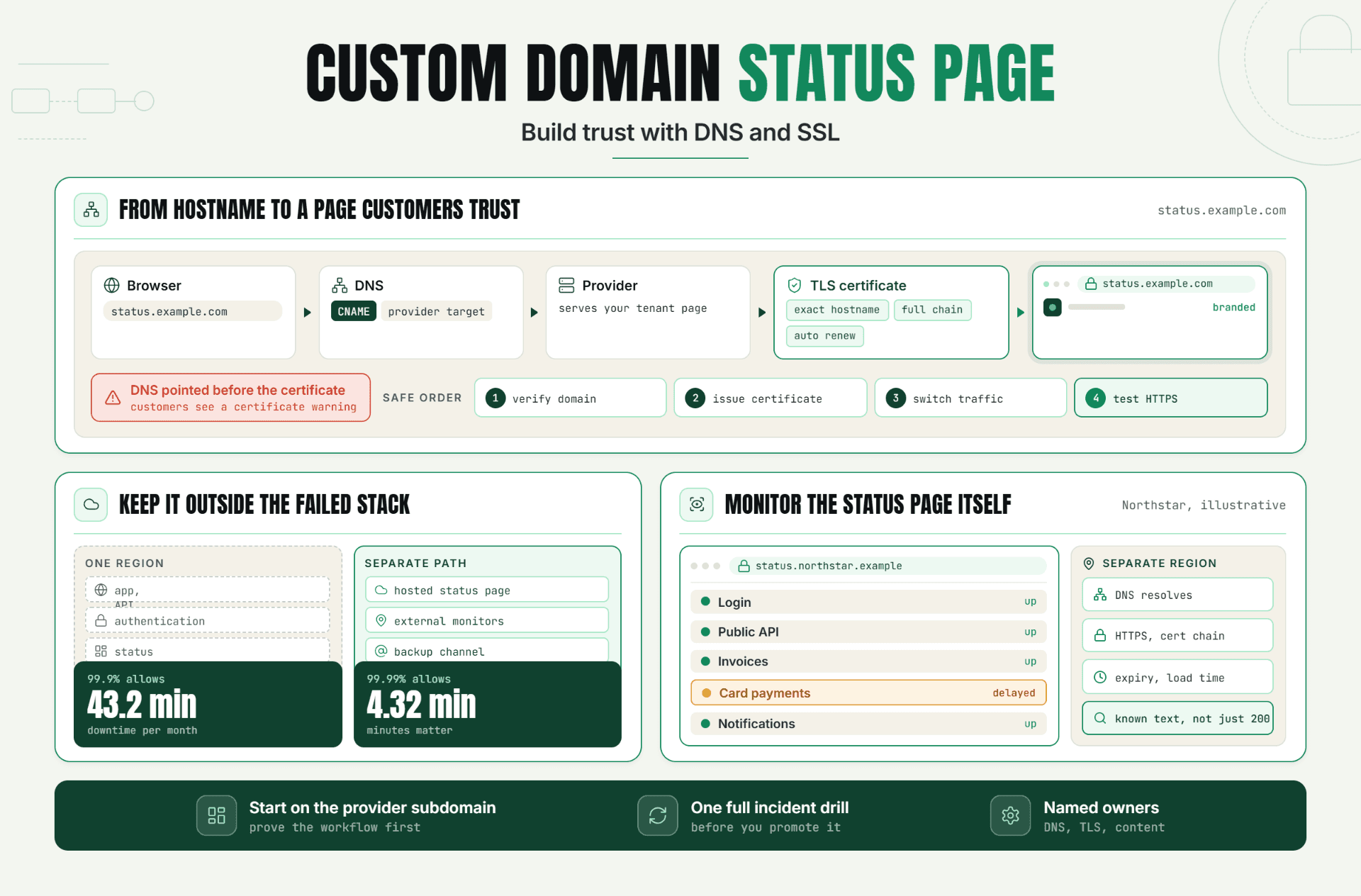
Statixoup’s comparison of a status page versus a monitoring dashboard explains why the two views serve different readers. Customers need understandable status. Responders need evidence.
A Practical Incident Support Workflow
The outage customer support workflow below keeps agents useful without pulling them into technical diagnosis.
1. Detect and confirm
Monitoring detects a failure, retries according to policy, and checks from another location or monitor type. The incident owner confirms the customer-facing scope before outage support sends a broad reply.
2. Open one incident record
Create a single outage support record with the first failure time, affected components, owner, evidence links, and next update deadline. Duplicate outage tickets should link back to this record through a tag or incident ID.
3. Publish the first update
Say what customers can’t do, when the issue began, what the team is doing, and when the next update will arrive. Don’t guess at a root cause.
4. Equip the support queue
Give agents a saved reply plus three decision rules:
- If the report matches known scope, acknowledge it and link the status page.
- If it includes new geography, error text, or account behavior, attach it to the incident for review.
- If it doesn’t match, treat it as a separate issue.
5. Update on schedule
Even “no material change” is useful when the promised update time arrives. Silence makes customers retry outage support.
6. Confirm recovery before closing
Require several successful checks and, when relevant, a completed browser journey. Then publish the recovery update and remove the queue banner or auto-reply.
This workflow also protects on-call attention. Statixoup’s guide to reducing false positive alerts shows why alert validation matters before an issue is broadcast across teams.
A Realistic Production Scenario
Imagine a SaaS analytics product with 8,000 customer accounts. At 10:03 UTC, its API uptime monitor begins returning HTTP 503 responses from two regions. The homepage remains available, so a basic website check looks healthy. At 10:05, the login browser monitor fails after authentication because the dashboard can’t load account data.
This is an illustrative scenario, not a claimed Statixoup customer result.
The recommended monitor setup is straightforward:
- HTTP check every 60 seconds for the public site
- API assertion every 60 seconds for the account-data endpoint
- Browser login journey every 3 minutes
- Confirmation from two locations before a general support broadcast
- Immediate escalation when both API and browser checks fail
At 10:06, the incident owner sets the impact to “customers may sign in but dashboards won’t load.” The outage support team receives that sentence, the start time, affected component, incident ID, and a 10:20 update commitment. The status page publishes the same scope.
By 10:10, 14 customers have opened tickets. Outage customer support agents tag 11 as known duplicates. Two contain no new evidence. One includes a mobile-only error that doesn’t match the incident, so it stays separate. That separation matters. Treating every ticket as a duplicate would hide a second problem.
At 10:18, API checks recover. The team waits for three successful checks and a complete login journey before posting “monitoring.” The incident closes at 10:29 after regional confirmation. The numbers here show the workflow, not a promised outcome.
Honestly, the best outage customer support reply is often boring. It is accurate, consistent, and time-bound. That beats a polished paragraph built on an unverified theory.
Best Practices for Outage Support Teams
Design coverage around customer promises
Monitor the journeys named in onboarding, contracts, and support documentation because those are the failures customers will report first. Reachability alone is weak coverage for a SaaS product with authentication and APIs.
Match check frequency to risk
Use shorter intervals for login, payments, and core APIs because a five-minute blind spot can generate a large ticket burst. Lower-risk pages can run less often.
Validate before broad communication
Use retries, multiple locations, content assertions, or a second monitor type because one transient failure shouldn’t trigger a company-wide outage response.
Assign two clear owners
Name one technical incident owner and one communication owner. Without both, engineers assume support is updating customers while support waits for engineering.
Put the next update time in every message
Customers tolerate uncertainty better than silence. A concrete time reduces repeated checking and gives the team a communication rhythm.
Zendesk’s 2025 CX Trends research surveyed nearly 5,100 consumers and found that 63% would switch to a competitor after one bad experience. An outage may be unavoidable. Confusing outage customer support doesn’t have to be (Zendesk 2025 CX Trends Report).
Common Mistakes Teams Make During an Incident
Sending weak “site down” checks to everyone
This happens because basic uptime alerts are easy to configure. Instead, validate customer impact and send support a scoped summary.
Writing a different answer in every channel
Slack, email, tickets, and the status page drift when each has a separate owner. Use one incident fact set and one update deadline.
Treating every new ticket as a duplicate
Queue pressure encourages fast merging. Keep an exception path for new regions, error codes, account types, and post-recovery failures.
Naming a root cause too early
Agents want to sound helpful, so an early theory becomes a customer-facing fact. State what is affected and what is being investigated. Publish the cause after it is verified.
Closing when the graph turns green once
One successful check can be a temporary recovery. Require repeated success and a functional customer journey before sending the all-clear.
Conclusion
Outage customer support works when every team uses the same verified facts and each audience gets the level of detail it needs. Monitoring data won’t replace empathy, but it stops agents from guessing while customers wait.
Start with one action: define the six facts support must receive when a customer-facing monitor is confirmed down. That small agreement will improve the next outage response more than another generic reply template.
Start a 30-Day Statixoup Beta
Start a 30-day Statixoup beta and configure one monitor for your most important customer journey. Add a clear support-team route, set a validation rule, and connect the resulting incident to your public status communication.
Editor note: Add Hardik Vaghani’s approved author bio block, role, credentials, photo, and profile link before publishing.
Start a 30-Day Statixoup BetaPost a Comment

Hardik Vaghani
Hardik Vaghani is a Digital Marketing Professional and SEO Strategist based in Surat, Gujarat, India. He currently works with Ethnic Infotech, contributing to SEO, content marketing, technical SEO, and digital growth strategies. Hardik also creates blog content for Fusion5, focusing on technology, laptops, and consumer electronics. With expertise in SEO, Google Ads, Meta Ads, Local SEO, and Content Strategy, he helps businesses improve online visibility, rankings, and lead generation through data-driven marketing.
Frequently Asked Questions
Related Blogs