Custom Domain Status Page: Build Trust With DNS and SSL
A custom domain status page strengthens brand credibility while keeping customers informed during outages. Proper DNS, SSL, independent monitoring, and clear service updates ensure the page remains reliable, secure, and trustworthy.
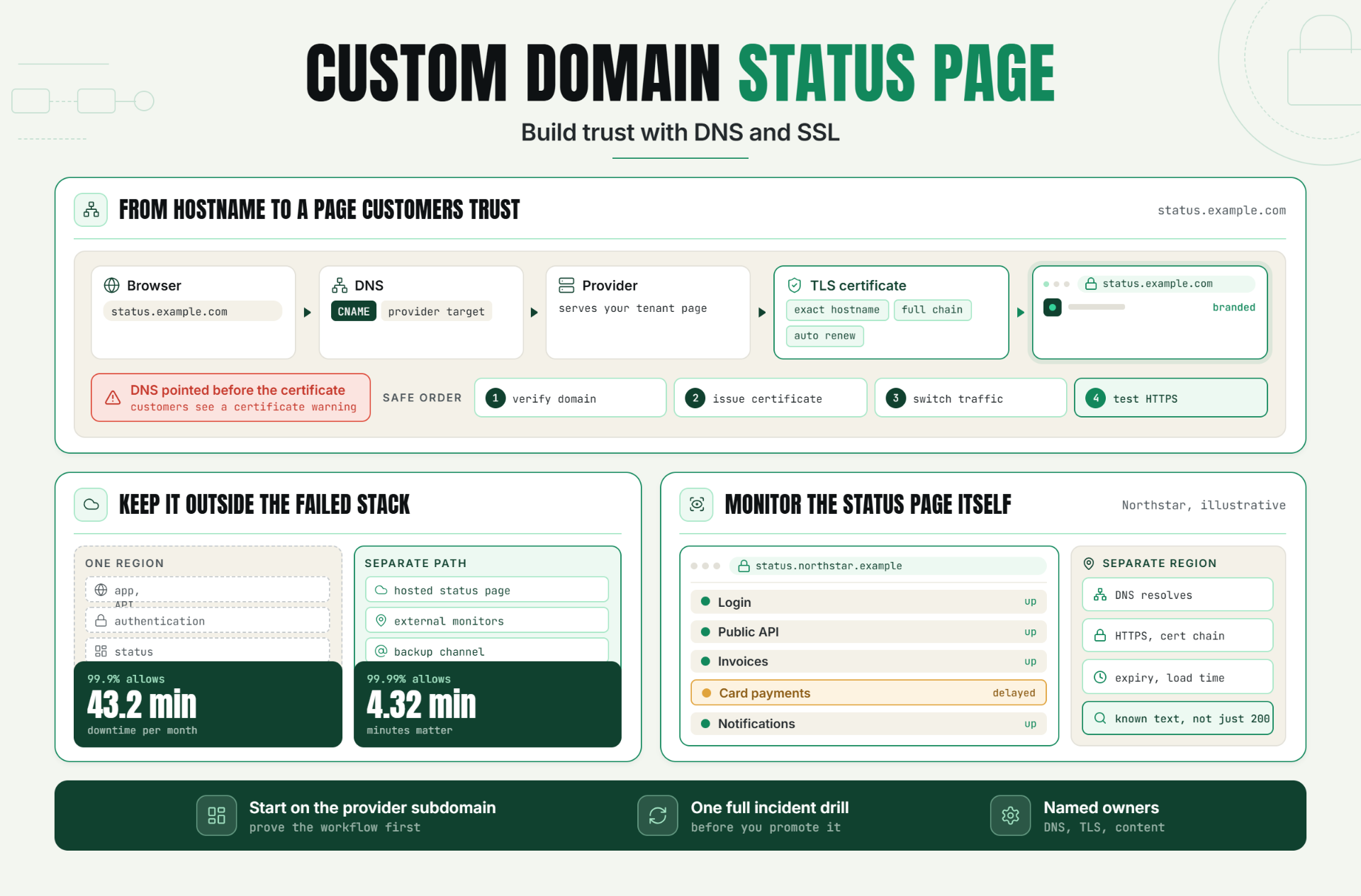
Statixoup monitors websites, APIs, SSL certificates, domains, DNS, and infrastructure from one dashboard, with checks advertised as often as every 30 seconds. Its current documentation confirms branded public status pages on a chosen Statixoup subdomain, plus live monitor health, history, response-time charts, incidents, and maintenance notices. If you need a customer-owned domain such as status.example.com, confirm native custom-domain availability during the beta before changing production DNS.
The short answer is simple. A custom domain status page maps a domain you control to a hosted status-page service, protects it with a valid TLS certificate, and displays customer-facing system health. The page is trustworthy when it remains reachable during your main application outage, uses plain service names, and is updated from verified monitoring evidence.
The Problem With an Untrusted Public Status Page
Customers don’t care that the CNAME is technically correct if the page is blank, stale, or showing a privacy warning. They want one answer: is the service working for people like me? A poorly operated custom domain status page creates a second incident surface. DNS can fail, certificates can expire, the page can depend on the same infrastructure that just went down, or an incident can stay private because nobody owns the update.
The branding risk is just as real. A generic vendor URL may be legitimate, but customers can hesitate when it looks disconnected from the product they pay for. The opposite mistake is over-branding a page until every technical detail disappears. Trust comes from recognizable identity plus specific, honest status information.
That is why a branded status page needs an operating standard, not just a logo file. Customers judge the page by its accuracy, timing, and availability during the exact moment your normal product experience is failing.
How a Custom Domain Status Page Works
A custom domain status page is a public system-status site served at a hostname owned by your organization, usually status.example.com. The hostname resolves through DNS to the status-page provider. The provider then serves the right tenant page and presents a valid TLS certificate for that hostname.
Branding Is the Recognition Layer
A branded status page should look related to your product without pretending to be the product. Use the same logo, company name, restrained color palette, homepage link, and support contact. Keep the operational wording direct. “Checkout payments are delayed” helps. “Some services may be experiencing intermittent issues” usually doesn’t.
Keep the custom status page visually calm. During an outage, clarity beats animation, promotional copy, and oversized brand graphics.
Statixoup’s public status-page setup guide confirms company naming, an optional logo, homepage and contact links, light or dark themes, layouts, and monitor widgets. That makes the page recognizable even before a customer reads the incident detail.
Status Page DNS Connects Your Hostname
Most hosted setups use a CNAME record for a subdomain. For example, status.example.com points to a provider-supplied target. DNS resolvers follow that record, and the provider routes the request to the correct status page. Cloudflare’s official CNAME setup documentation describes the same underlying pattern: a hostname can point to another hostname while authoritative DNS remains with the existing provider.
For a custom domain status page, this record is part of production infrastructure. Document who can change it, where the authoritative zone lives, and how the team will verify it after a DNS-provider migration.
A Safe DNS Change Sequence
- Choose the final hostname and confirm that no A, AAAA, or CNAME record already uses it.
- Add and verify the domain inside the status-page platform before directing customer traffic, if the platform supports pre-verification.
- Lower the old record’s TTL ahead of a migration, then add the exact provider-supplied record.
- Check resolution from more than one network and region. Confirm the returned CNAME chain matches the provider instructions.
- Open the HTTPS page, inspect the certificate hostname and expiry, then test both desktop and mobile views.
Don’t guess the record target. Copy it from the provider. And don’t place a CNAME at the root domain unless your DNS provider explicitly supports flattening or an equivalent record type.
Status Page SSL Protects Identity and Traffic
Status page SSL is really TLS, the encryption layer browsers use for HTTPS. The certificate must include the exact hostname customers visit. It must also build a trusted certificate chain, remain inside its validity window, and renew before expiry.
Certificate issuance often depends on domain-control validation. That means a wrong DNS record, an active proxy, or a stale validation record can delay the launch. The certificate should be ready before the hostname is shared publicly. A custom domain status page that first appears over HTTP or shows a warning is not ready.
Treat certificate renewal for the branded status page as an automated process with an external alarm. A calendar reminder is a weak control because ownership changes and inbox rules hide warnings.
The Statixoup guide to SSL chain errors is useful here because certificate validity alone doesn’t prove every browser can build the full trust chain.
Keep Public System Status Independent
The status page should not fail with the application it reports on. If your marketing site, API, authentication, support portal, and status page all depend on one cloud region or one DNS zone, a regional or account-level failure can silence every communication channel at once.
Perfect independence is expensive. Aim for practical separation: hosted status infrastructure, external monitoring locations, a distinct publication workflow, and at least one backup communication channel. Google’s SRE availability table shows why minutes matter. At 99.9% availability, the allowance is about 43.2 minutes of downtime per month. At 99.99%, it falls to 4.32 minutes. A ten-minute communication delay can consume more time than the service objective allows.
Your custom status page also needs a direct monitor. If it stops resolving or its certificate fails, the on-call team should learn before customers discover that the outage channel is unavailable.
For the monitoring side, review Statixoup’s planned maintenance monitoring guide and website outage root cause analysis guide. The first helps prevent scheduled work from becoming noisy incident traffic. The second shows how evidence supports accurate updates when the failure is real.
How to Launch a Branded Status Page Without Creating a New Failure Point
- Define the audience. Decide whether the page serves all customers, one product, a region, or an enterprise account group.
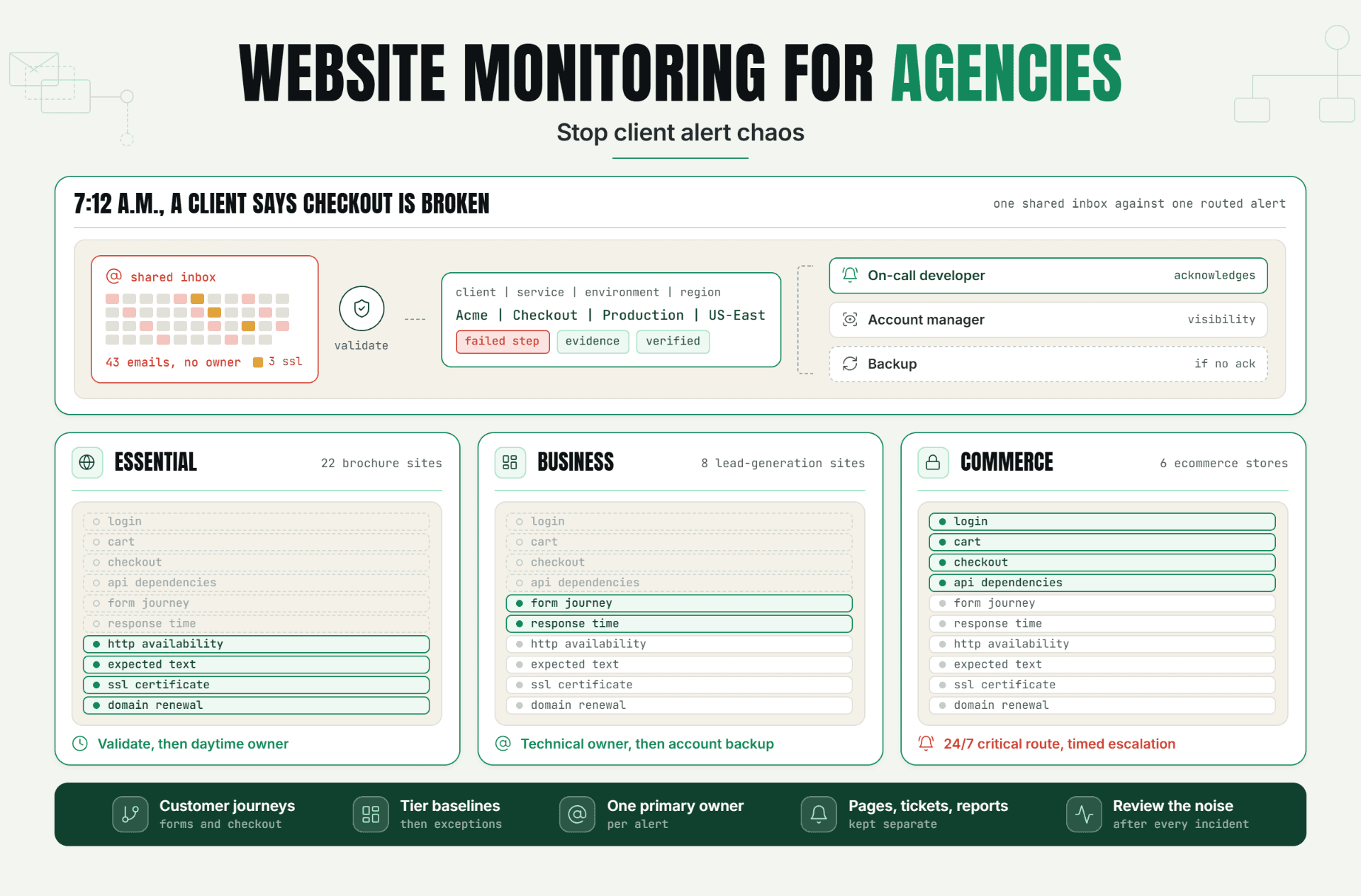
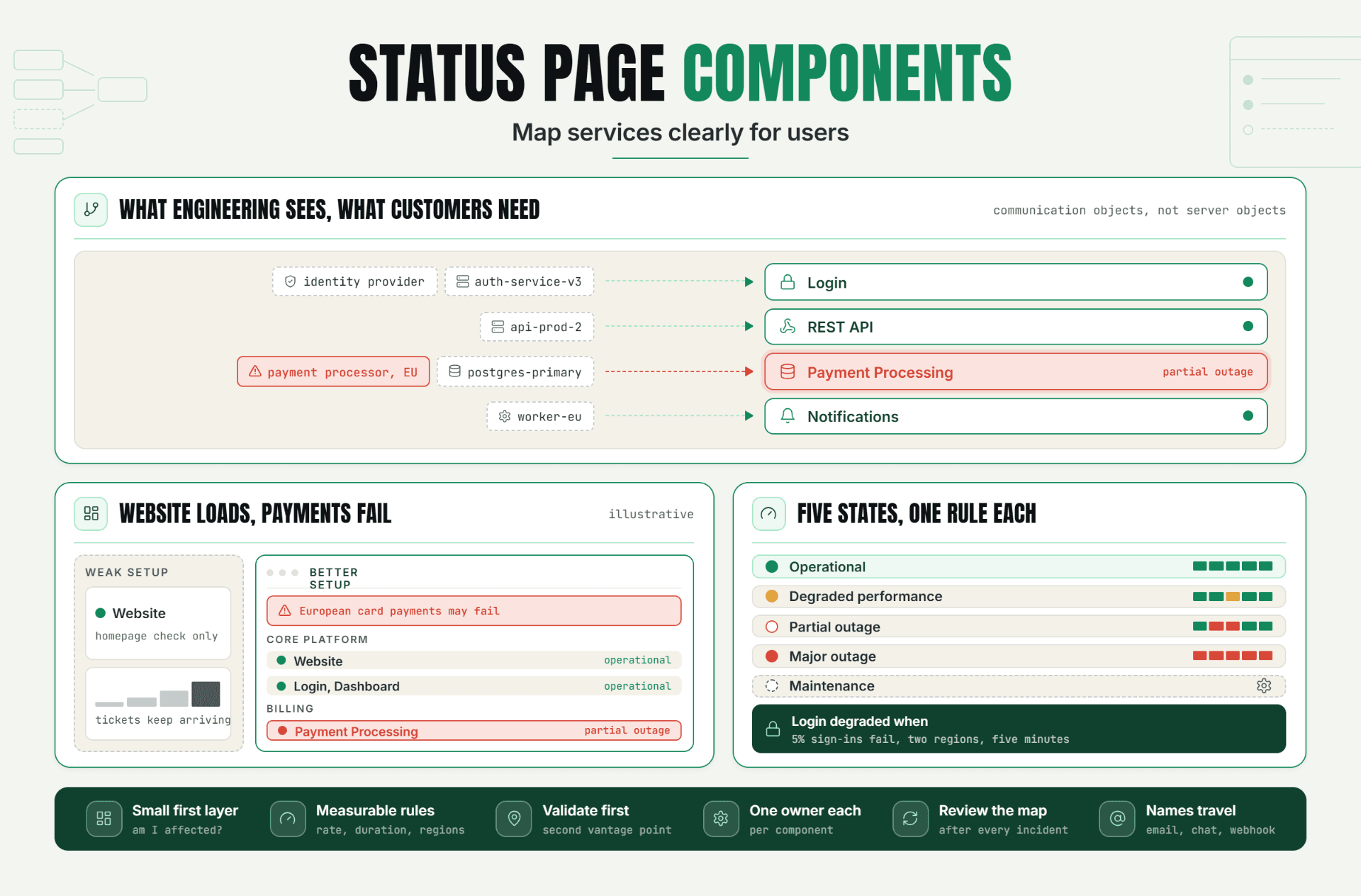
- Map customer-facing services. Group monitors by names customers recognize, such as Login, API, Dashboard, Checkout, and Notifications.
- Create the page on the provider’s safe default subdomain first. Add branding, links, monitor widgets, history, and maintenance settings.
- Confirm the custom-domain feature and ownership-validation method. Obtain the exact DNS target and certificate workflow from the provider.
- Publish DNS, wait for resolution, verify HTTPS, and test from an external network. Check that a main-app outage doesn’t prevent the status page from loading.
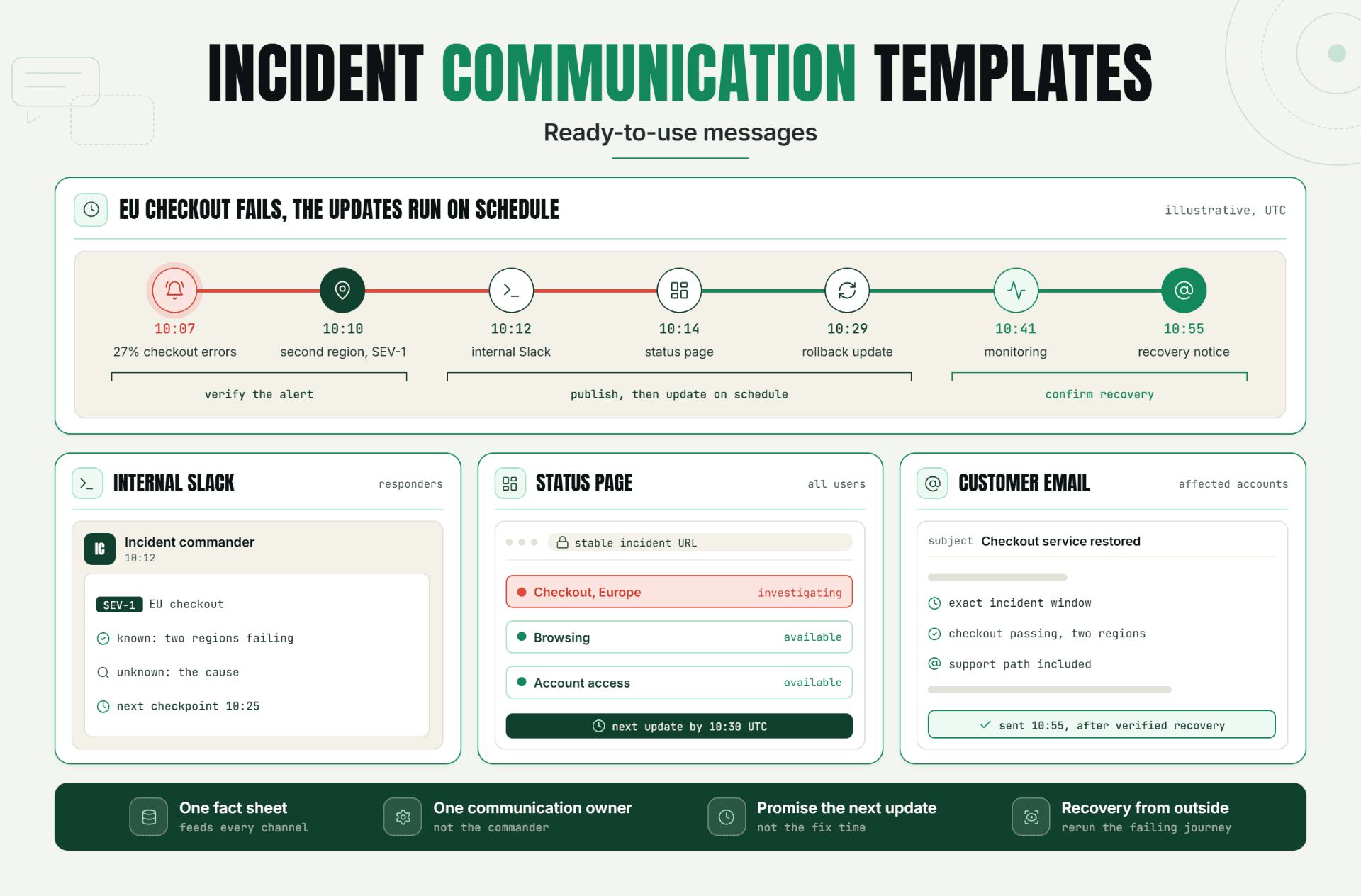
- Run an incident drill. Trigger a test monitor state, publish a customer update, resolve it, and check timestamps, subscribers, and recovery wording.
- Assign an owner for DNS, certificate health, content approvals, and quarterly drills. The result is a branded page that remains useful when pressure is high.
Statixoup’s current workflow lets teams choose a subdomain, connect a website or API monitor, select current-status or history widgets, and enable automatic public updates. Start there. A working vendor subdomain is a safer launch point than an untested custom domain status page.
Once that workflow is stable, the custom domain status page becomes a routing and trust upgrade rather than an experiment performed during an incident.
A Realistic Production Scenario
Consider an illustrative SaaS company called Northstar Billing. It serves 3,000 business users and publishes status at status.northstar.example. The team monitors the marketing site, login, public API, dashboard, payment processing, outbound email, SSL certificates, and DNS from external locations.
The first draft of its page had one component named “Production.” That was technically tidy and practically useless. During a payment-provider slowdown, customers couldn’t tell whether login, invoices, or card payments were affected. Support received duplicate tickets because the status message lacked scope.
The team changed the page to five customer-facing components, added a support link, and wrote update templates for investigating, identified, monitoring, and resolved states. It also moved the public page to hosted infrastructure and tested the TLS certificate before announcing the domain. In the drill, customers could see that login and invoices were healthy while card payments were delayed. That is the result a custom domain status page should produce: less guessing, not prettier downtime.
Northstar also monitored the branded status page from a separate region and checked for a known text string. A 200 response alone would not prove that the correct tenant page or incident content loaded.
For severity and wording, use Statixoup’s incident severity levels guide. It helps teams match customer impact with escalation instead of treating every failed check as the same event.
Recommended Monitor Setup for the Scenario
| Customer service | Monitor signal | Check approach | Public wording |
|---|---|---|---|
| Login | HTTPS plus browser flow | 30-second uptime and scripted sign-in | Login unavailable or delayed |
| Public API | Status code, latency, response body | External API check with content validation | API requests failing or slow |
| Payments | Synthetic transaction plus dependency health | Safe test transaction or provider health signal | Card payments delayed |
| SSL and DNS | Certificate chain, expiry, record resolution | Daily certificate and multi-region DNS checks | Status page access issue |
Best Practices for Custom Status Page Ownership
- Start on the provider subdomain. Prove the page structure, monitors, and update workflow before adding DNS and certificate variables.
- Use customer language. Publish “Invoice export” instead of an internal service name such as worker-cluster-7.
- Monitor the status page itself. Check DNS resolution, HTTPS response, certificate chain, page content, and load time from outside your main stack.
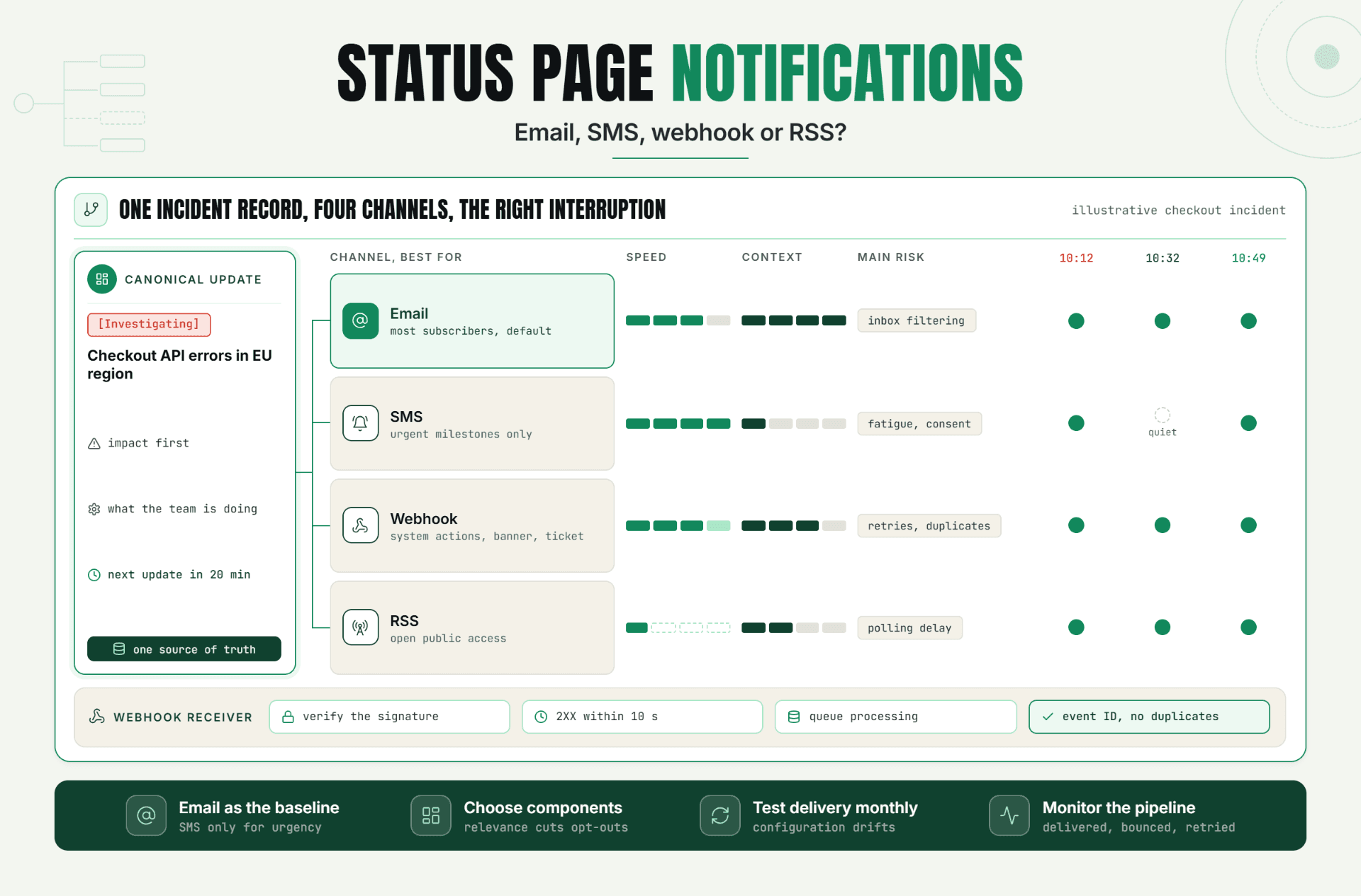
- Separate detection from publication. Automatic updates can be fast, but validation rules should prevent one transient failure from telling every customer the service is down.
- Set an update rhythm. During a major incident, state when the next update will arrive, even if the diagnosis is unchanged.
- Protect access. Use least-privilege roles, multi-factor authentication, and a backup publisher so one unavailable owner doesn’t block communication.
- Review quarterly. Check component names, owners, contact links, DNS records, certificate automation, subscriber channels, and incident templates.
My stance is firm: don’t promote a custom domain status page until the team has completed one full incident drill. Branding earns attention. Rehearsed operations earn trust.
After launch, treat the branded status page as part of the reliability program, with the same change review and monitoring discipline as any customer-facing endpoint.
Common Mistakes That Weaken Trust
Pointing DNS Before the Certificate Is Ready
Why it happens: the DNS change feels like the launch step. What to do instead: verify domain ownership and certificate issuance first, then switch customer traffic and test HTTPS immediately.
Using One Component for the Whole Product
Why it happens: internal architecture is complicated, so the team hides all of it. What to do instead: show five to ten customer-facing services that explain impact without exposing every dependency.
Publishing Raw Monitor Failures
Why it happens: automatic updates promise speed. What to do instead: validate failures from more than one location or signal, group related incidents, and define when automation should create a public update.
Hosting the Page Inside the Failed Stack
Why it happens: reuse looks cheaper. What to do instead: use infrastructure with a different failure path and test it during a simulated application outage.
Forgetting Ownership After Launch
Why it happens: DNS and TLS renewal become invisible once they work. What to do instead: assign named owners and monitor the custom domain status page as a production service.
One final mistake is treating the custom status domain as permanent documentation. Record targets, validation methods, owners, and provider procedures can change, so review them after platform or DNS migrations.
Conclusion
A custom domain status page doesn’t create trust by itself. It creates a familiar place where trust can either grow or fail. The real gain comes from a valid domain and certificate, independent monitoring, customer-friendly components, honest incident updates, and clear ownership.
Start with the simplest reliable version. Build the page on the provider’s verified subdomain, run an incident drill, confirm custom-domain support, and only then move customer traffic to the branded hostname.
Start Your 30-Day Statixoup Beta
Start a 30-day Statixoup beta and configure the website, API, SSL, DNS, and status-page monitors that support your public communication workflow. Create and test the branded Statixoup status-page subdomain first. If status.example.com is a requirement, confirm native custom-domain availability and the DNS/TLS onboarding process with the Statixoup team before production rollout.
Start Your 30-Day Statixoup BetaPost a Comment

Hardik Vaghani
Hardik Vaghani is a Digital Marketing Professional and SEO Strategist based in Surat, Gujarat, India. He currently works with Ethnic Infotech, contributing to SEO, content marketing, technical SEO, and digital growth strategies. Hardik also creates blog content for Fusion5, focusing on technology, laptops, and consumer electronics. With expertise in SEO, Google Ads, Meta Ads, Local SEO, and Content Strategy, he helps businesses improve online visibility, rankings, and lead generation through data-driven marketing.
Frequently Asked Questions
Related Blogs