Reduce False Positive Alerts Without Missing Real Incidents
False positive alerts drain SOC teams and cause real threats to slip through unnoticed. This guide breaks down proven, practical strategies to reduce false positive alerts without missing real incidents, from smarter alert thresholds to better detection tuning.
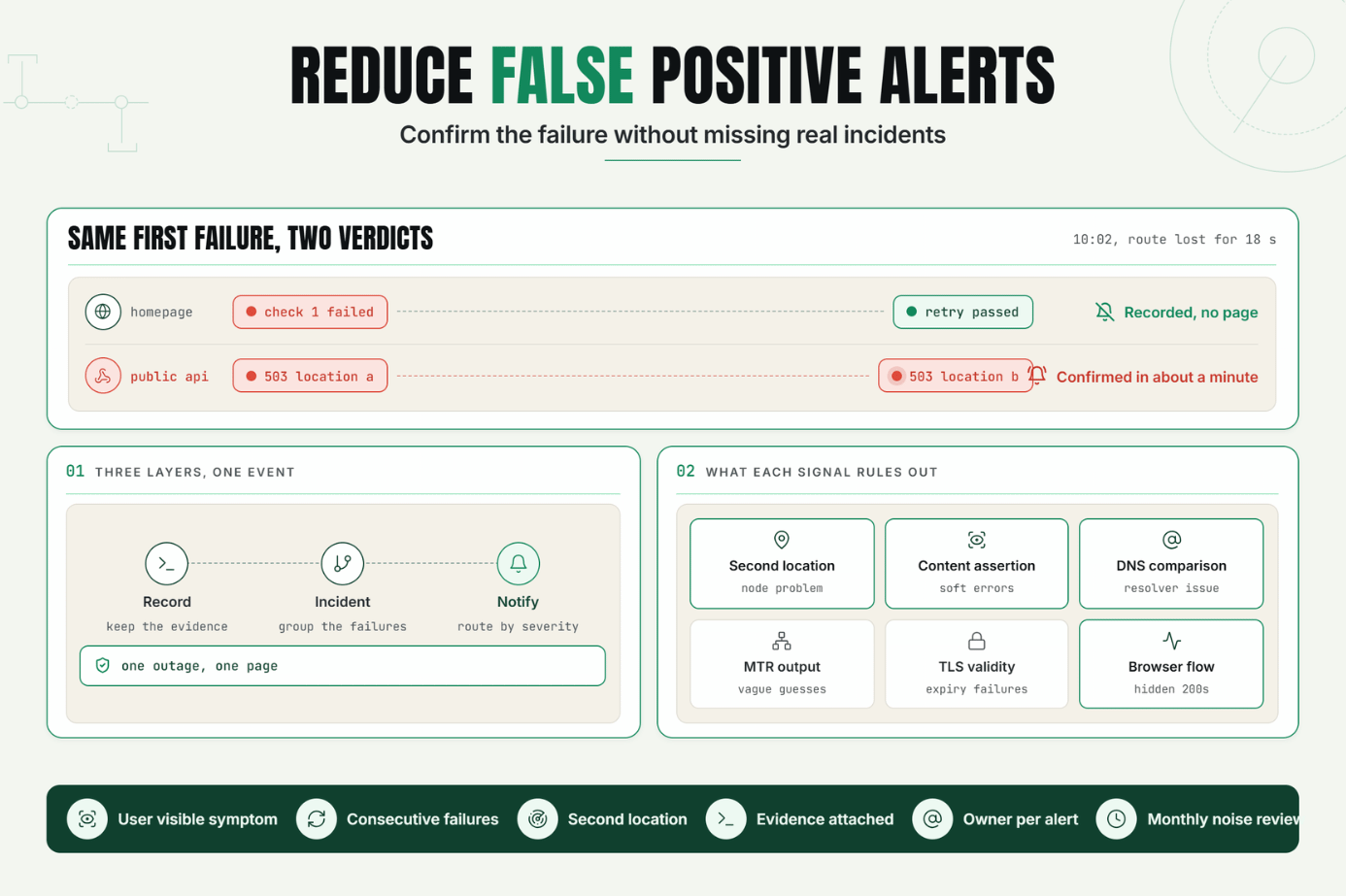
Statixoup is an all-in-one monitoring platform for websites, APIs, SSL certificates, DNS, domains, ports, and network infrastructure. Its homepage says checks can run every 30 seconds and failures are intelligently validated before an incident or notification is created. That combination matters when the goal is to reduce false positive alerts without hiding short, real outages.
The short answer is simple: confirm a failure with another check, compare evidence from more than one signal, and page only when the event is actionable. Keep the raw failed check for diagnosis, but don't treat every timeout as a customer-facing incident. That's how teams reduce monitoring noise without making detection sluggish.
The Real Cost of Noisy Downtime Alerts
False alarms don't stay harmless. They create a pattern: an engineer opens three dashboards, sees everything green, closes the page, and becomes a little less responsive to the next notification. Eventually a real incident lands in the same channel and looks like more of the same. Teams that want to reduce false positive alerts have to treat that lost confidence as an operational defect.
Google's Site Reliability Engineering guidance is blunt about this. Frequent pages make people second-guess, skim, or ignore alerts, and real incidents can be masked by noise. Its monitoring chapter says a page should be urgent, actionable, and tied to an active or imminent user-visible problem. That is the standard to use when you reduce false positive alerts, not the impossible promise that no probe will ever fail.
The business risk runs the other way too. Uptime Institute's 2024 annual outage analysis found that 54% of respondents said their most recent significant, serious, or severe outage cost more than $100,000. Sixteen percent put the cost above $1 million. A monitoring setup that suppresses everything to keep the channel quiet is not safer. It's merely silent. You reduce false positive alerts to protect attention, while preserving sensitive checks to protect revenue.
Statixoup's guide to the real cost of website downtime helps put a number against that risk. The aim is reliable escalation, not fewer notifications at any price.
How to Reduce False Positive Alerts With Intelligent Validation
To reduce false positive alerts, separate observation from confirmation. A probe observes that one request failed. Validation asks whether enough independent evidence now exists to declare an incident.
Start With a User-Visible Failure Condition
An alert should describe what a user can't do. “Homepage returned an unexpected status twice” is useful. “CPU crossed 70% for 20 seconds” may be diagnostic context, but it doesn't prove an outage. Symptom-based rules reduce false positive alerts because they require visible harm, not merely unusual telemetry.
Google SRE calls this the distinction between symptoms and causes. Its four golden signals are latency, traffic, errors, and saturation. For paging, black-box checks are especially useful because they test what a user can see right now. That principle can reduce false positive alerts caused by internal metrics that briefly look odd while the service remains healthy.
So what should a website monitor check? At minimum:
- The expected HTTP status code
- A response-time ceiling appropriate to the service
- Required text or a known page element
- TLS and DNS validity
- A real browser flow for login, signup, or checkout when those actions matter
A plain HTTP 200 isn't enough for every application. Statixoup's article on hidden website failures explains why a site can answer while checkout or login is broken.
Use Consecutive Failure Checks for Alert Validation
One timeout can come from a transient resolver issue, a monitoring node, a dropped packet, or a deployment connection reset. The next check tells you whether the failure persists. Consecutive checks are one of the simplest ways to reduce false positive alerts without adding a complicated dependency engine.
The practical pattern is: 1. Run the scheduled check. 2. When it fails, retry quickly. 3. Compare the second result with another location or signal. 4. Create the incident only when the configured confirmation rule passes. The result is fast detection that can reduce false positive alerts.
Choose the Confirmation Window by Service Risk
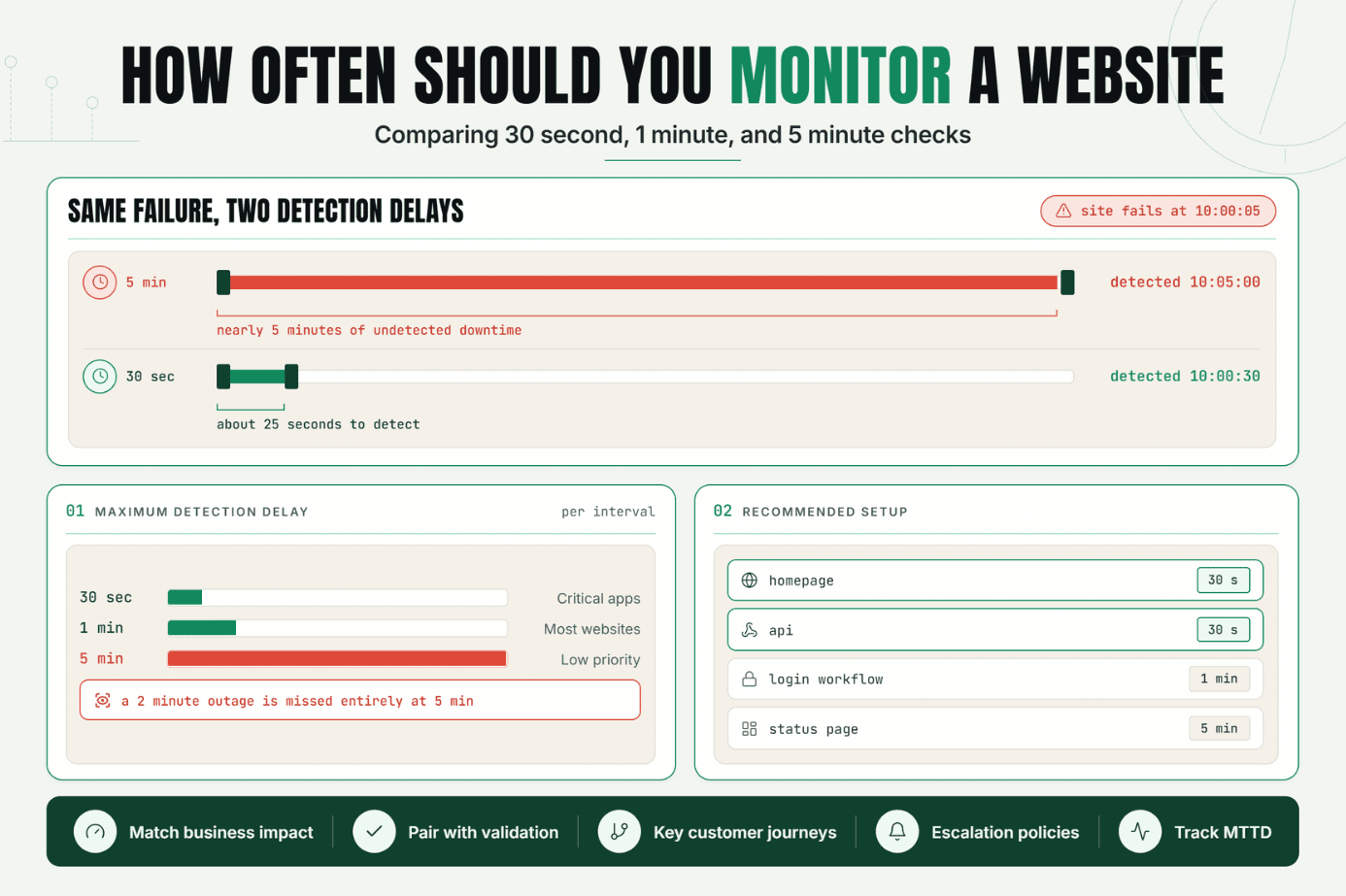
There isn't one perfect retry count. For a revenue-critical checkout, two failed 30-second checks may be enough. For a low-traffic marketing page behind an occasionally slow origin, three checks might be reasonable. If the first retry waits five minutes, though, alert validation has become alert avoidance.
Google Cloud Monitoring documents retest windows that reduce sensitivity to a single measurement, while Amazon CloudWatch documents “M out of N” evaluation through datapoints-to-alarm settings. The shared idea is useful: require persistence, but don't demand perfection from every sample. Both patterns reduce false positive alerts by asking whether a condition persisted across an evaluation window.
Correlate Location, Status, Content, and Network Evidence
Repeated checks from one place can still report a regional path problem as a global outage. Multi-signal incident confirmation asks better questions and helps reduce false positive alerts caused by one faulty vantage point:
| Signal | What it confirms | What it can rule out |
|---|---|---|
| HTTP status | The endpoint answered as expected | Application or origin failure |
| Content assertion | The correct page or payload arrived | Soft errors and broken rendering |
| Second location | More than one route sees the failure | A single monitoring-node problem |
| DNS comparison | Records resolve consistently | Resolver or propagation issue |
| Traceroute and MTR | Where loss or latency appears | Vague “network problem” guesses |
| Browser transaction | A user journey completes | Partial failures hidden by HTTP 200 |
This is where Statixoup's stated product approach becomes useful. The platform combines failure validation with incident screenshots, error evidence, traceroute and MTR diagnostics, plus Playwright-based browser monitoring. Those signals help reduce false positive alerts and shorten the “is this real?” phase after notification.
For regional failures, see Statixoup's regional outage diagnosis steps. Its MTR vs traceroute comparison also explains what each network diagnostic can and can't prove.
Separate Incident Creation From Alert Routing
Not every confirmed event needs to wake someone. A 40-second interruption may belong in the incident history and status calculations without becoming a pager alert. A failed checkout across two regions does need immediate ownership. Severity rules reduce false positive alerts at the paging layer.
Use three levels:
- Record: keep the failed check and evidence.
- Incident: group related failures into one event.
- Notify: route based on severity, duration, service, and ownership.
This separation helps reduce false positive alerts at the human layer while preserving the technical record. It also stops one outage from producing six independent pages for the homepage, API, DNS, SSL, checkout, and status page.
A Realistic Production Setup That Keeps Fast Detection
Consider this illustrative scenario. A SaaS company runs a marketing site, an authenticated app, a public API, and Stripe-backed checkout. The team currently checks the homepage every minute from one region. Any timeout pages the same engineer.
At 10:02 a.m., the monitoring location loses a route to the CDN edge for 18 seconds. The origin, app, and checkout are healthy. The on-call engineer gets a downtime alert, opens the site, finds nothing, and closes it as another false alarm. The setup didn't reduce false positive alerts.
Here's a stronger setup:
| Monitor | Frequency | Validation | Escalation |
|---|---|---|---|
| Homepage HTTP and content | 30 seconds | Two failures plus second-location confirmation | Notify after confirmation |
| App login transaction | 1 minute | Retry once; require expected dashboard element | Page application on-call |
| Public API health | 30 seconds | Status, JSON assertion, and latency threshold | Page after two confirmed failures |
| Checkout browser flow | 2 minutes | Transaction checkpoint and screenshot | Immediate high-severity page |
| SSL certificate | Daily | Expiry and certificate validation | Ticket well before expiry |
| Cron heartbeat | Expected schedule | Grace period matched to job duration | Notify job owner |
The first homepage timeout is still stored. The retry succeeds, so no customer incident is declared. But if the API returns 503 twice from separate locations, the rule confirms the outage within roughly a minute. That's the balance: reduce false positive alerts while keeping meaningful time to detection. Evidence remains available even when validation prevents a page.
The browser flow matters. A basic ping can't tell you whether a JavaScript login button, authentication redirect, or checkout submission works. Statixoup's guide to transaction monitoring for login and checkout covers that gap.
Best Practices for Reliable Alerts
Cover the Critical Journey, Not Every Metric
Monitor the homepage, API, login, checkout, DNS, SSL, and scheduled jobs because each represents a customer or operational outcome. Don't page on every metric simply because it exists. Diagnostic metrics belong beside the incident, where they help explain it.
Match Frequency to Impact
Use 30-second checks for revenue paths and public APIs when a few minutes of delay matters. A daily certificate check is enough for an expiry measured in days. Frequency should follow the speed of harm.
Make Validation Visible
Teams trust reliable alerts when they can see the failed request, retry result, screenshot, location, status code, and timeline. Evidence lets the responder start diagnosis instead of repeating the monitor's work.
Statixoup's website incident response method lays out a practical sequence using HTTP checks, DNS comparison, traceroute, and MTR.
Give Every Alert an Owner and Action
Route checkout failures to the application team, DNS failures to infrastructure, and missed heartbeats to the job owner. Include the first action in the notification. If nobody owns an alert, it isn't operationally ready.
Review Noise Every Month
Track alerts with no action taken, repeated alerts from one incident, and alerts closed without a confirmed symptom. Then delete, downgrade, or rewrite the rule. This routine is how teams continue to reduce false positive alerts after the initial setup.
Common Mistakes That Create Monitoring Noise
Alerting on a Single Weak Check
Why it happens: the default monitor treats one timeout as downtime. What to do instead: add a quick retry and a confirmation rule appropriate to the service.
Checking Only the Status Code
Why it happens: HTTP checks are cheap and easy. What to do instead: assert expected content or run a browser transaction on critical workflows. A friendly error page can return 200.
Making Thresholds Too Tight
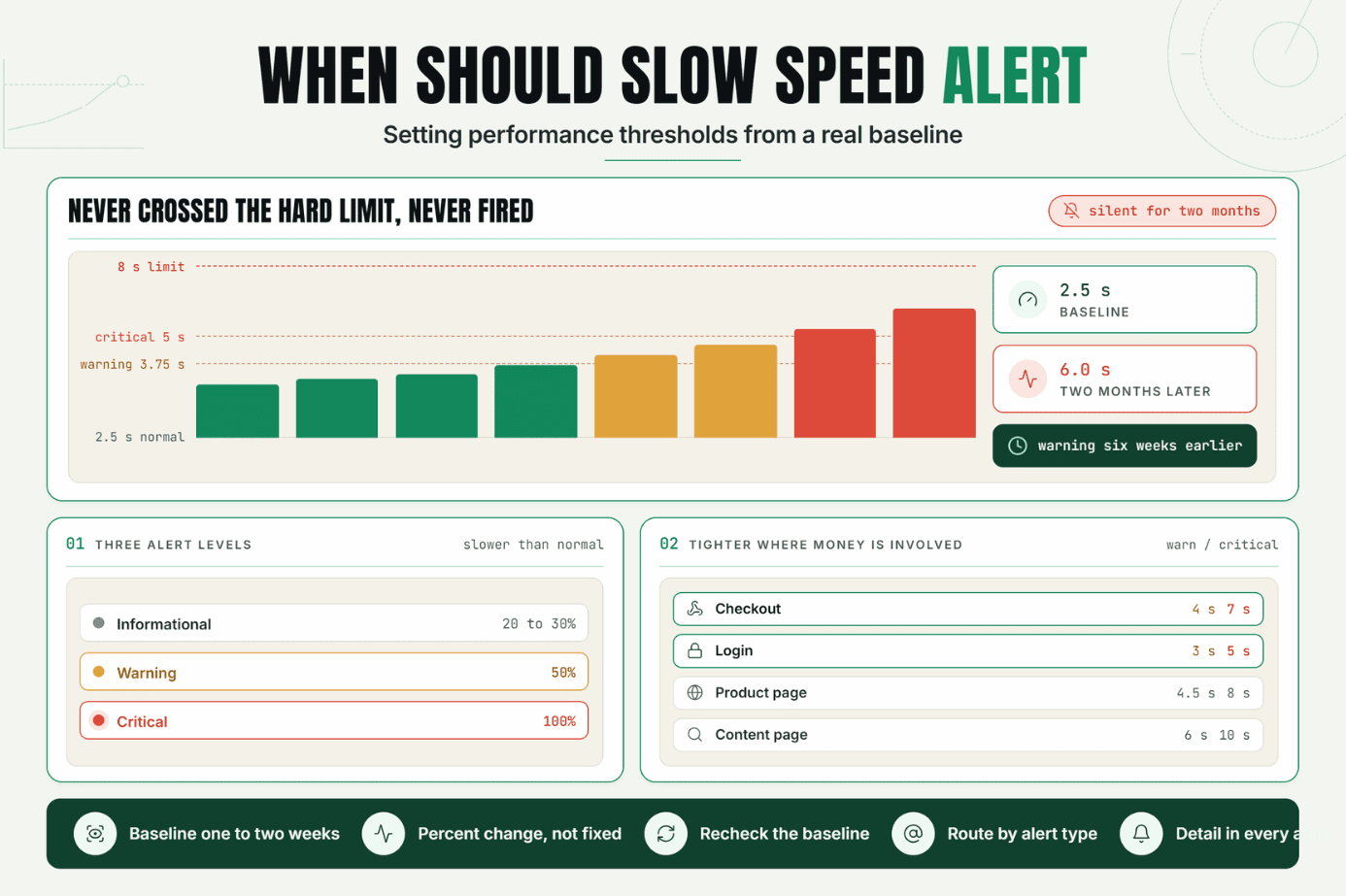
Why it happens: teams mistake sensitivity for reliability. What to do instead: base latency thresholds on percentiles and user expectations, then require the breach to persist. A single 1,001 ms response against a 1,000 ms threshold shouldn't wake anyone.
Ignoring Dependencies and Regions
Why it happens: one green homepage feels reassuring. What to do instead: monitor DNS, TLS, APIs, third-party dependencies, and user journeys from locations that reflect your audience. Regional evidence can reduce false positive alerts without dismissing a genuine local outage.
Sending Everything to One Channel
Why it happens: routing seems like work that can wait. What to do instead: map each monitor to a service owner, severity, and escalation path before enabling notifications.
Conclusion
The goal isn't a silent alert channel. It's a channel people believe. Confirm failures quickly, test user-visible symptoms, attach evidence, and route only actionable incidents. That discipline will reduce false positive alerts without creating the blind spots that let real failures drift.
One strong first move is to review the last ten downtime notifications. If nobody acted on three of them, fix those rules before adding another monitor.
Start Validating Your Alerts
Start your free 7 days with Statixoup, add your highest-impact website or API monitor, and set a validation rule that confirms failure before notification. No card is required according to the current Statixoup site. Begin with one critical path. Make that alert trustworthy first.
Post a Comment

Hardik Vaghani
Hardik Vaghani is a Digital Marketing Professional and SEO Strategist based in Surat, Gujarat, India. He currently works with Ethnic Infotech, contributing to SEO, content marketing, technical SEO, and digital growth strategies. Hardik also creates blog content for Fusion5, focusing on technology, laptops, and consumer electronics. With expertise in SEO, Google Ads, Meta Ads, Local SEO, and Content Strategy, he helps businesses improve online visibility, rankings, and lead generation through data-driven marketing.
Frequently Asked Questions
Related Blogs